Reassign Parent
The PIM selects one of the product variants as the parent variation. If you would like to assign a different variation as the parent variation you can do this by clicking on the Re-assign Parent button icon in the show variants drop down. This is usually only required when you would like to remove the current parent from the family of variations because it is no longer a valid variant option.
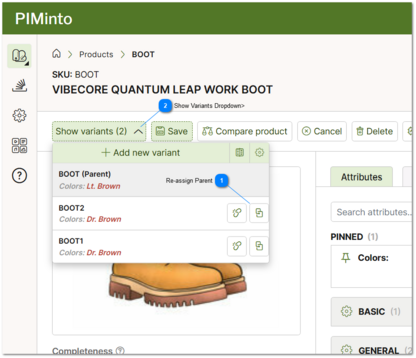


 Show Variants Dropdown> Click on the show variants drop down to return a list of all variants in a product family. |