Scheduling Automation (Feed)
A PIM Feed eliminates the need for a user to first export and then upload a product information file or spreadsheet in order to send product information to a specific channel partner. PIMInto has the ability to automatically "feed" data to select external channel partners that support API connection points for receiving product data.
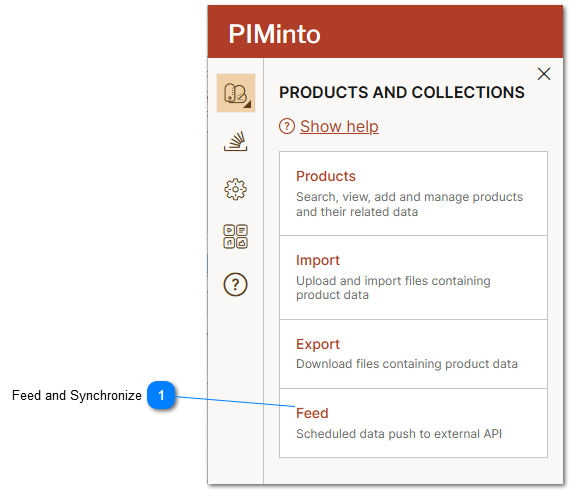

Create a New Feed
Creating a new feed is done by clicking on the Create New feed button on the feed management dialog.
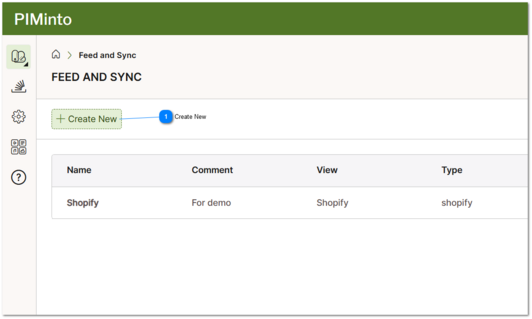
 Create New Creating a new feed is done by clicking on the Create New feed button on the feed management dialog. |
Scheduling Feed Execution Frequency
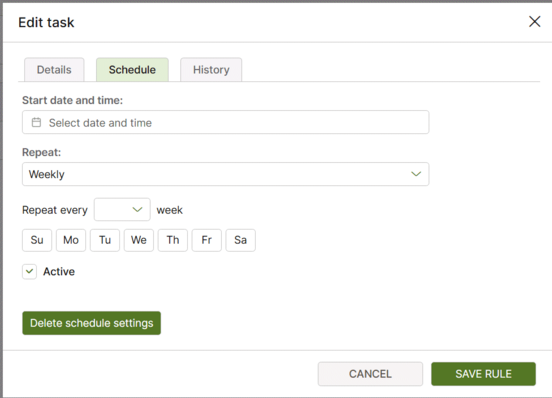
How of often a feed syncronizes can be scheduled on the feeds "Svhedule" tab. Feed and Synce can run daily or every "X" days, weekly or every "X" weeks or monthly. Weekly tasks can run on specified days of the week.