Unlink Variant
To remove a product from a list of product variants can easily be performed by clicking on the un-link button in the "Show Variants" drop down list from the product detail window.
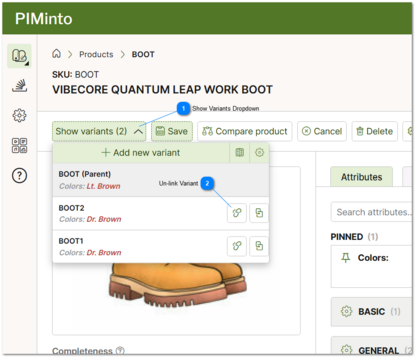
 Show Variants Dropdown Click on the show variants drop down to return a list of all variants in a product family. |
 Un-link Variant Click the un-link variant button icon to "un-link" or remove a specific variant from the variations for a specific product family. |