Delete PIM View
In a Product Information Management System (PIM), the "Delete View" option allows users to remove a view from the PIM. Once a view is deleted the restrictions and mapping provided by the View will no longer be available. In addition to deleting views, users should refer to the instructions for creating a view and make the necessary modifications to achieve any desired changes to the 'View' or view filtering conditions.
To delete 'View' from View settings follow the steps below:
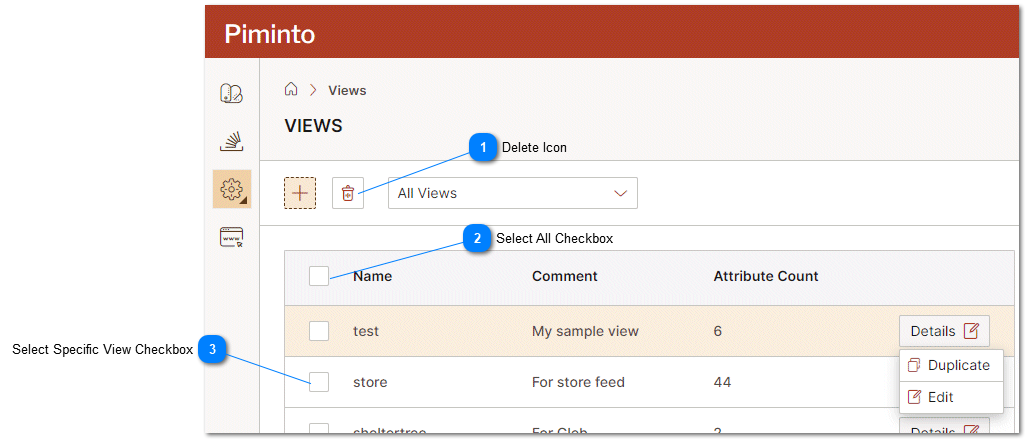
 Delete Icon Delete icon deleted the selected views from the Product Information Management System (PIM). |
 Select All Checkbox Clicking the select all checkbox selects all of the views defined in the Product Information Management System (PIM) |
 Select Specific View Checkbox Clicking the select view checkbox for a specific view selects that view. |