Brand Portal Settings
Brand Portals are online product catalogs the display product data stored in the PIM that is always up to date, accurate, and easy to share. Unlike some PIM systems, changes to underlying product data in PIMInto data have an immediate effect on what is displayed in the brand portal. The brand portal settings determine how the brand portal is presented to portal visitors. Themes, logos links and other settings can be configured in the settings.
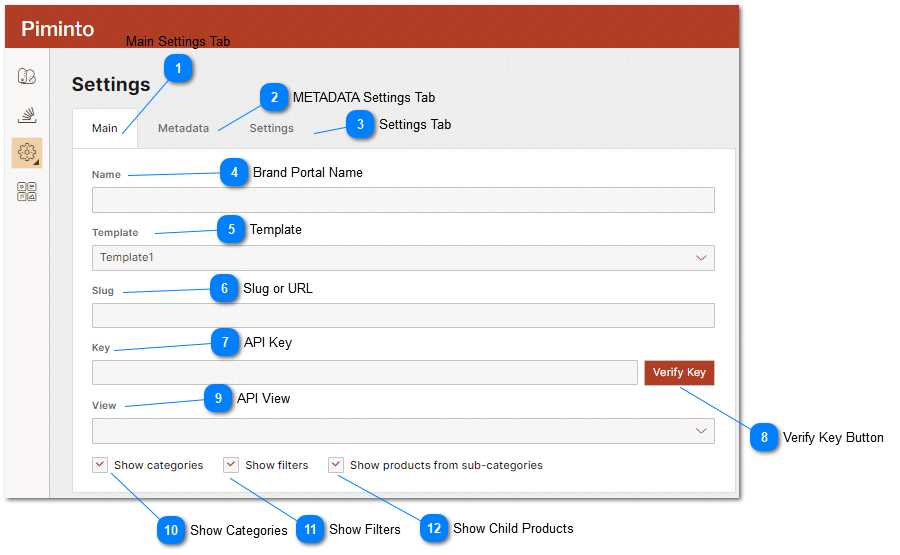
 Main Settings Tab Primary brand portal settings are configured on this tab. |
 METADATA Settings Tab Settings tab where the page title and page meta data will be defined. Fields like keywords and description are important fields for search engine results and indexing. |

 Brand Portal Name This is the name of the brand portal displayed in the PIM user management interface. |
 Template This is the default color an layout template that should be used t generate the brand portal and part of the brand portal web address. |
 Slug or URL This is the part of the URL slug that is user definable and will be used to access the brand portal. |
 API Key The combination of API Keys and Views assigned to an API key determines what product SKU's and product attributes are available for display. An API key must be assigned to each brand portal in order for products to be displayed in the brand portal. For more information about API key please see the help topic PIM API Keys. |


 API View The View or attribute map that should be used to display information in the brand portal. Views are used to restrict SKU's and data that are available in the PIMS as well as map field values and labels. For more information about views please see the Mapping and Restricting Data (Views) help topic.. |






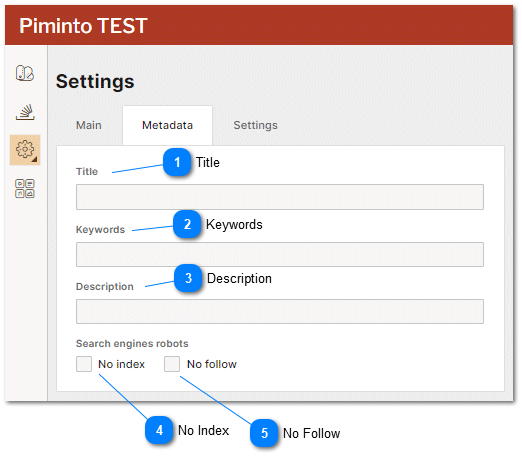
Title The brand portal's title that should be displayed on the browser Tab when the brand portal is accessed by a user and rendered in the HTML page meta data. |
Keywords The brand portal's key words that should be rendered in the keywords meta tag as part of the HTML page code. |
 Description The brand portal's description that should be rendered in the description meta tag as part of the HTML page code. |
No Index Sets the value for the NO INDEX meta tag in the HTML page code. A Value of TRUE instructs the search engines not to index this page. |
No Follow Sets the value for the NO FOLLOW meta tag in the HTML page code. A Value of TRUE instructs the search engines not to follow links on this page. |
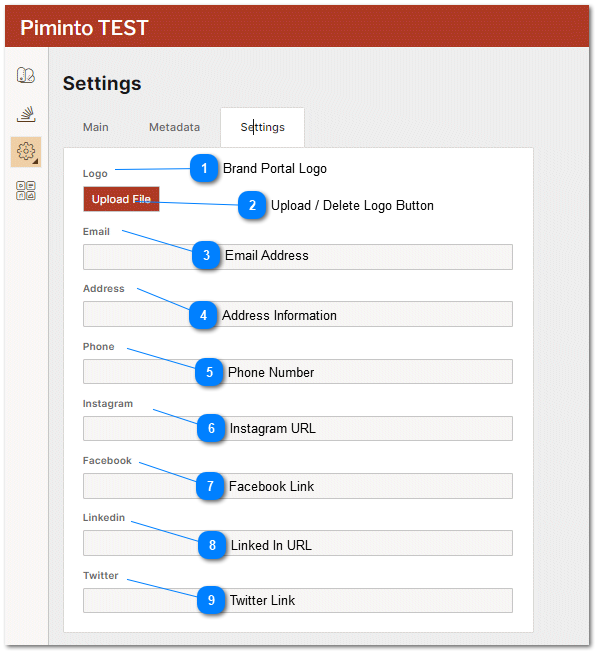
Brand Portal Logo Once a logo has been uploaded to a brand portal it will be displayed here. |

Email Address The email address that should be available on the brand portal footer depending on the selected style sheet settings for the brand portal. |
Address Information The email address that should be available on the brand portal footer depending on the selected style sheet settings for the brand portal. |
Phone Number The phone number information that should be visible to the user browsing the brand portal, depending on the selected style sheet settings for the brand portal. |


