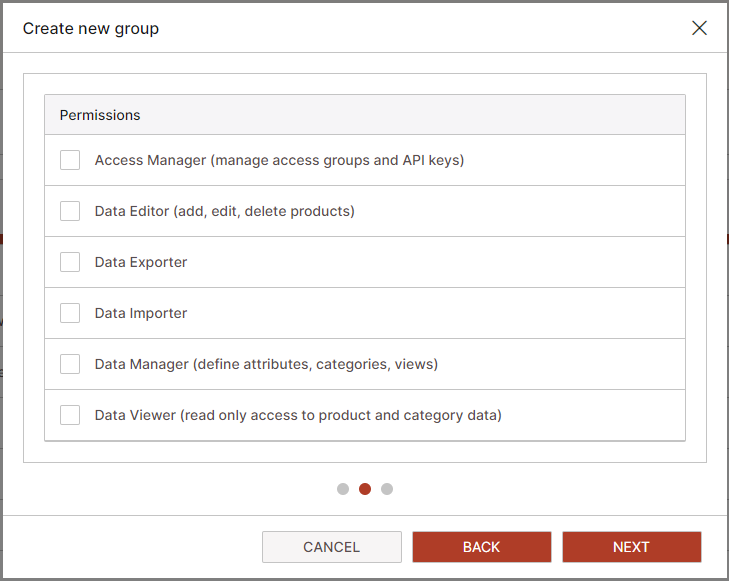
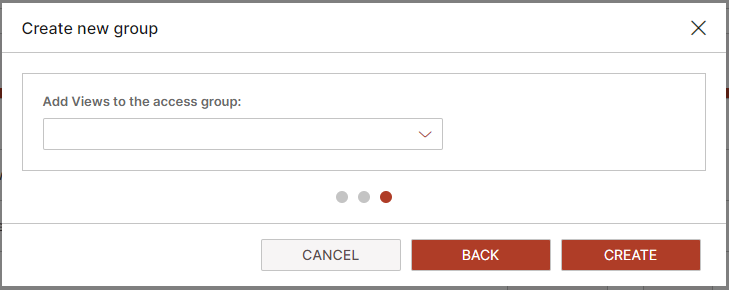
Create Access Group in PIM
Access groups management interface is accessed from the settings menu. Access Groups ensure that every user or team only has access to the data and user interface tools they need. This reduces the risk of accidental data changes or breaches and allows for greater control and oversight of who is able to make what changes within the system.
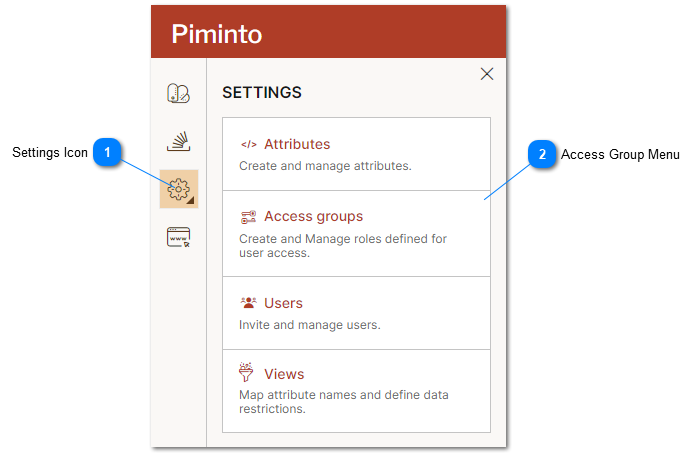
 Settings Icon The settings menu provides access to the PIM settings including the Access Groups management interface. |
 Access Group Menu Select the Access Group menu option to manage access groups. |
Create Access Groups to grant access to the PIM user interface and API.
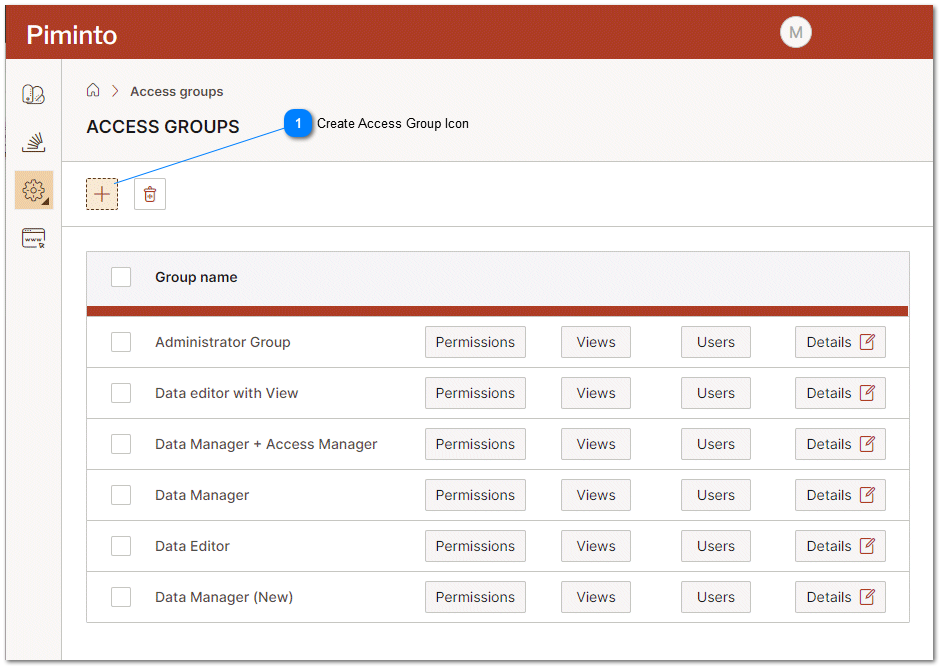
Create Access Group Icon To create an Access Group click on the Create access group icon. Creating an Access Group automatically assigns an API key. |
Access Groups require a name and description in order to be created.
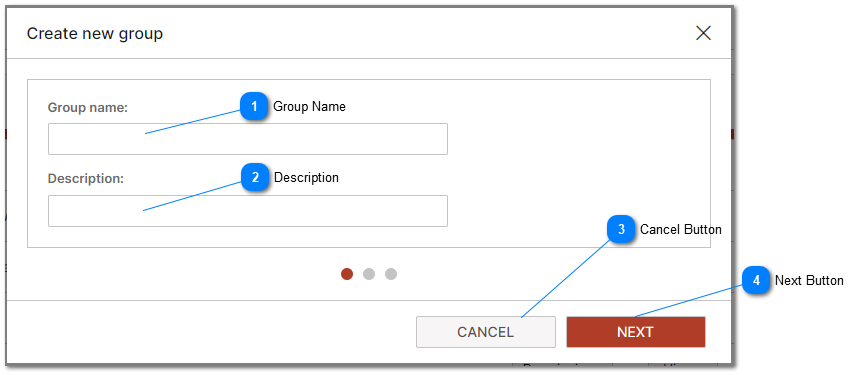
Group Name Provide a friendly name for the Access Group that will assist in identifying its purpose when the name is displayed in the PIM user interface. |
Description Provide a detailed description of the purpose of the Access Group that will assist in identifying its purpose when the description is displayed in the PIM user interface. |


Assign access Group Permissions. For detailed information related to the different permissions that may be assigned to an Access Group please see the Roles help. Assigning permissions properly is very important for information security. Before assigning permissions we suggest that PIM users review the purpose and functionality of 'Views' and their role in managing and restricting access to the data that is stored in a PIM.