Delete Access Group from PIM
Access groups management interface is accessed from the settings menu. Access Groups ensure that every user or team only has access to the data and user interface tools they need.
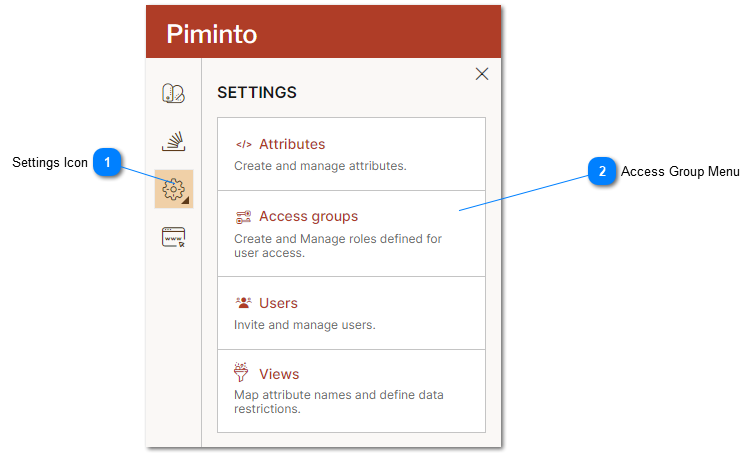
 Settings Icon The settings menu provides access to the PIM settings including the Access Groups management interface. |
 Access Group Menu Select the Access Group menu option to manage access groups. |
Deleting an access group removes API access for the API key assigned to that access group. If an access group has users assigned, it cannot be deleted. All users must be assigned to a different access group before the access group can be deleted.
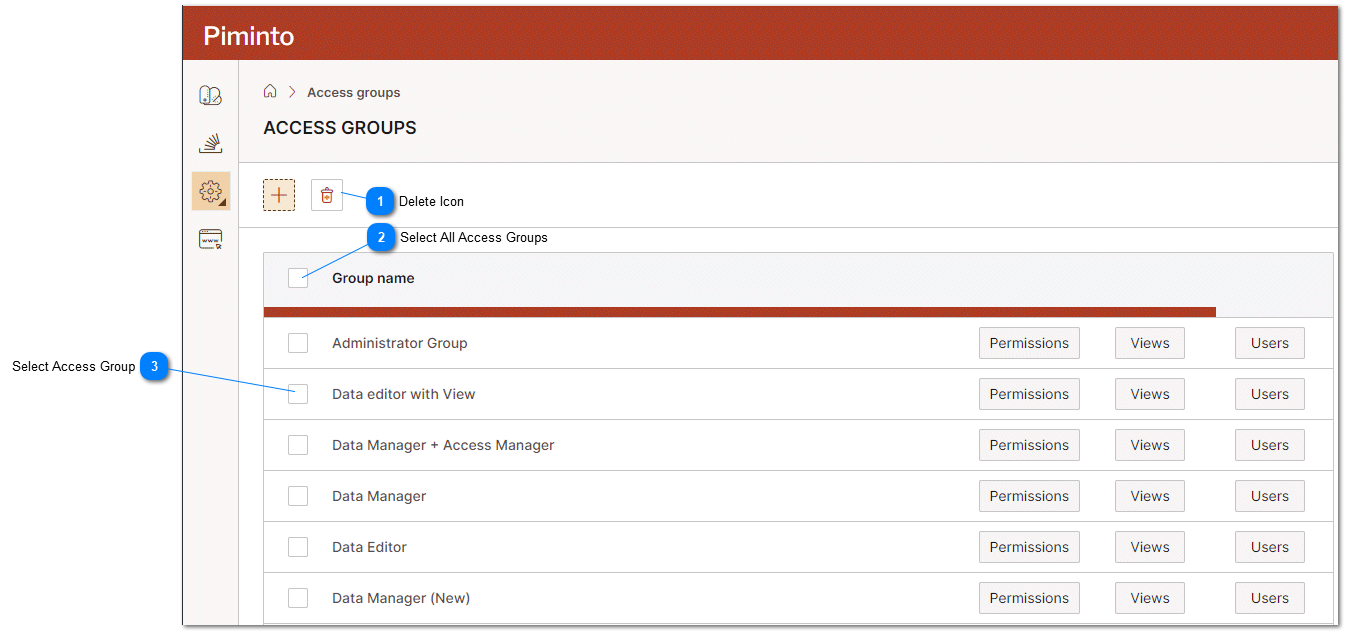

Select All Access Groups Select or deselect all access groups. |
 Select Access Group Select or deselect a single access group. |