Deleting Users from PIM
To delete one or more existing users access to the Product Information Management System open the settings menu by clicking on the Settings Icon and select the "Users" menu option.
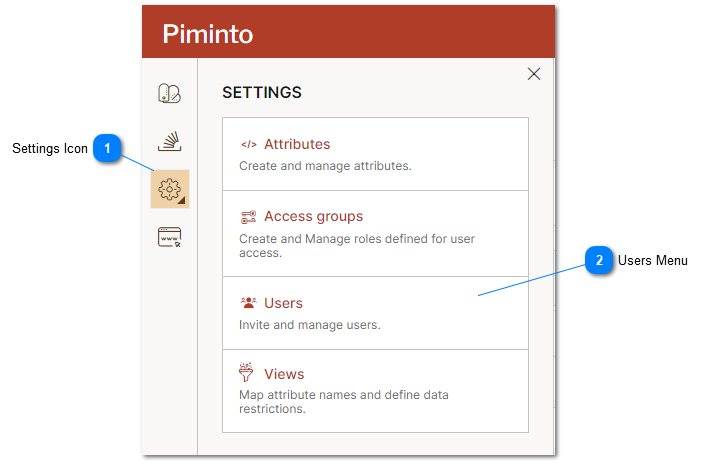
 Settings Icon Click on the "Settings Icon" to open the settings menu. |
 Users Menu Select the "Users" menu option to manage, delete existing users and invite new users. |
Manage, delete existing Users and invite new users from the "Users" settings.
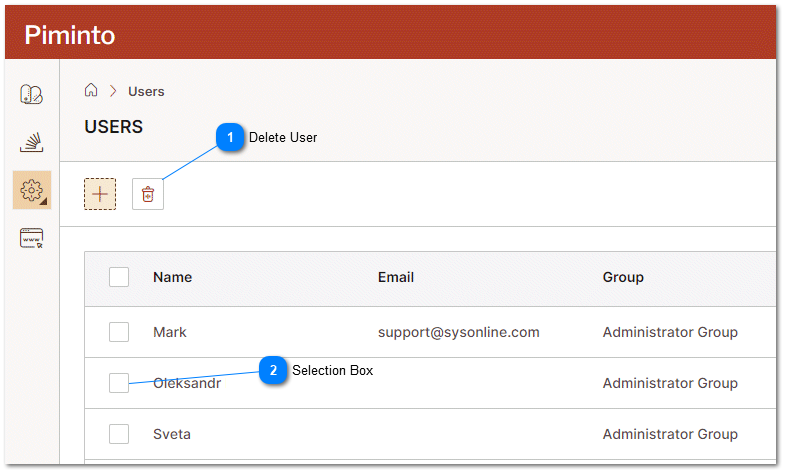
Delete User After selecting users that should be deleted, click on the "Delete" icon to remove users access to the PIM. |
Selection Box Select the users by clicking the selection box next to the appropriate user records. |