Manage Access Group Permissions in PIM
Access Group permissions can be modified after an Access Group has been created. An Access Groups permissions can be modified from the Access Group management interface.
Views assigned to lower level access groups will sill be assigned on promotion. Modifying an Access groups permissions may cause limitations that are imposed when adding new attributes if VIEWS have been assigned. For additional information related to Access Group Roles please see the Roles help topic.
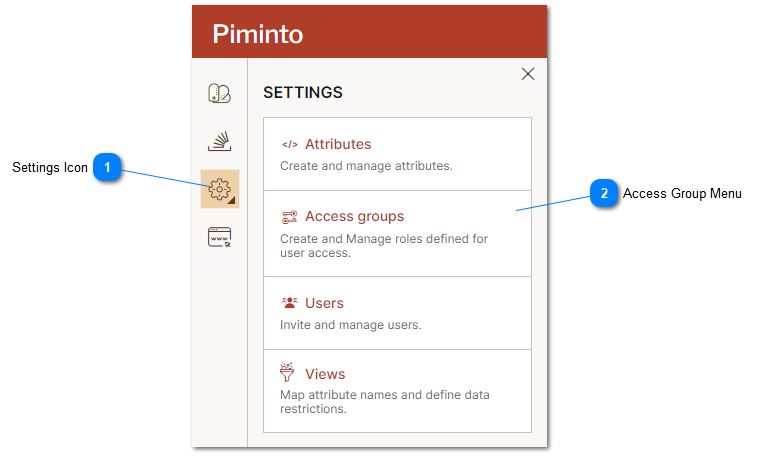
 Settings Icon The settings menu provides access to the PIM settings including the Access Groups management interface. |
 Access Group Menu Select the Access Group menu option to manage access groups. |
On the Access Group management interface click on the Permissions button next to the Access Group's roles and permissions to be modified.
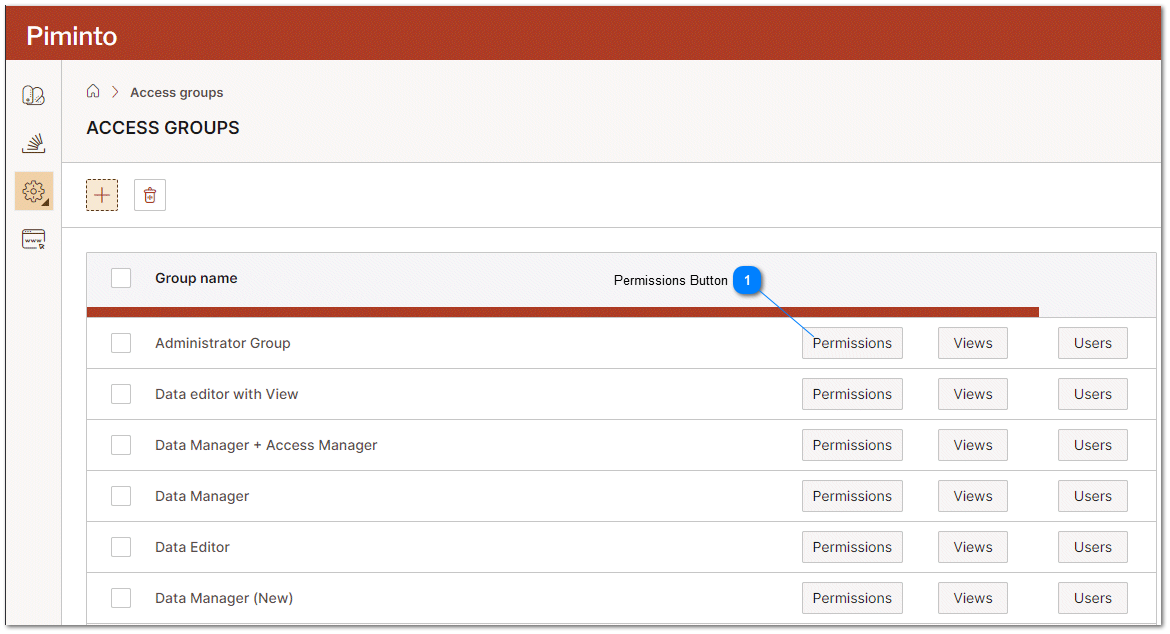
Permissions Button The permissions button opens the access Group permissions overlay. |
Add Roles to an Access Group and remove roles from an access group by clicking on the checkbox next to the desired permission.
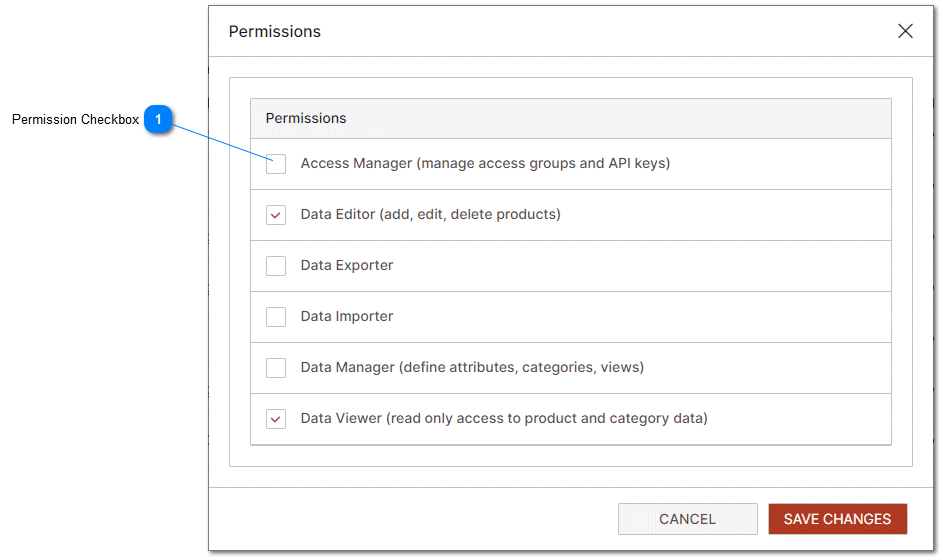
Permission Checkbox Permission check boxes grant or deny access to a specific permission or role in the PIM. For additional information related to Roles please see the Roles help topic. |