Sample Import File
The PIM has powerful file import features that allow you to easily import most of your product data data without requiring the use of advanced import functions. Taking a moment to look at a standard import file and the column layout will quickly demonstrate how easily data can be imported. In the case where no data exists in your PIM the system will generate a sample export file using sample data. If you already have products in the PIM then the actual data from your products will be used to generate the export file giving you a accurate example of how your import data should be formatted.
Important Note: Your input file only needs to have the column title "sku" (all lower case) and any other fields you want to update. "title" is only required in the case the product does not exist in the PIM.
"tile" (all lower case) is usually a short name. Most PIM users add a filed called "description" for longer product descriptions.
Uploading HTML data usually works best if placed in an attribute with type "HTML"
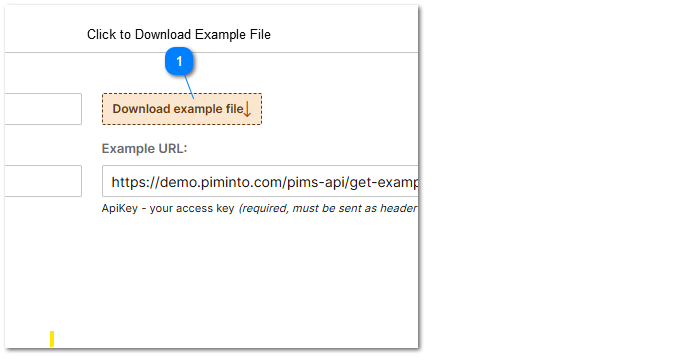
 Click to Download Example File To download a sample import file go to an import task's property screen and click on the "Download Example File" button. |
Depending on the format of the file defined in the import task, you will be able to download xlsx, csv, json or other supported file format. To download a different file type select the file format in the import task window and click save. Then click the download file button to receive the different file type.
Depending on the attributes that have been defined for your PIM instance the sample import file may look something like the sample displayed in this screenshot.
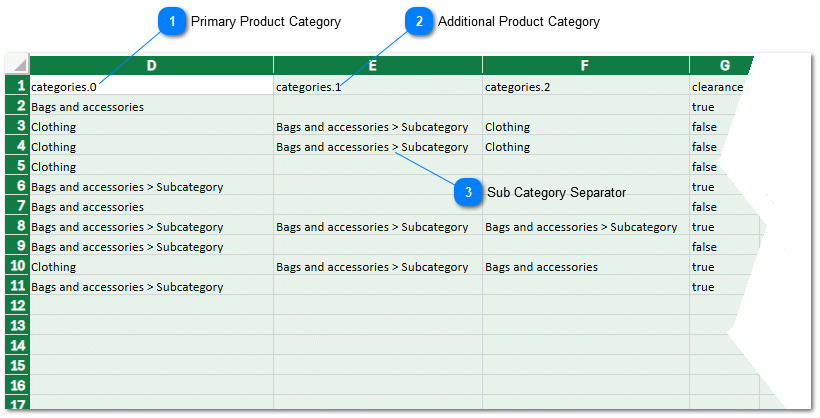
Primary Product Category Placing a value in the field for categories.0 will result in the product being assigned to this category. |

 Sub Category Separator Items can be inserted into "sub-categories" by using the " > " Category separator. Bub categories can be nested multiple levels deep. |
Please refer to the help topic for a available import options. Missing products and categories can be either skipped or created in the PIM depending on the task's import settings.
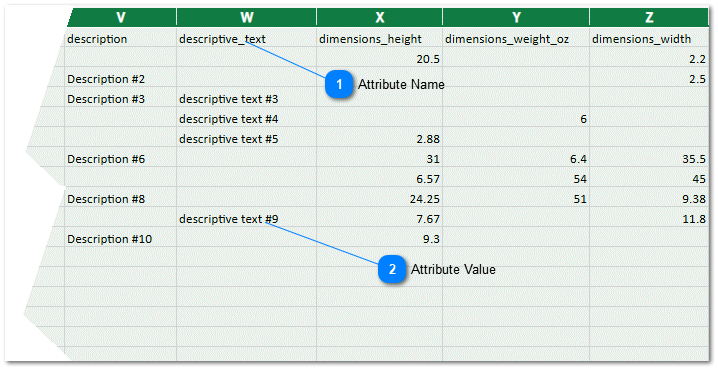

 Attribute Value <The attribute value is the actual data value for a specific product SKU that will be inserted into an attribute for a specific product. |
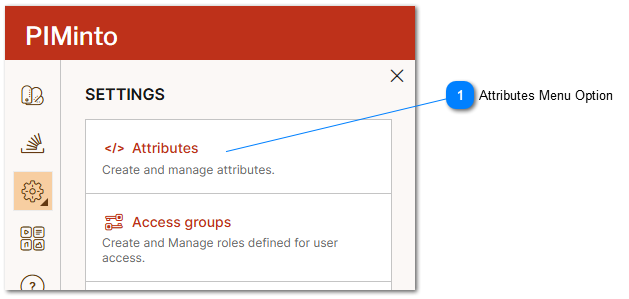
Attributes Menu Option Allows users to view and modify the attributes that are defined in a specific PIM. Any attributes defined for a PIM may have data imported in the import file. |
Attributes have different values that help with Identifying the functionality of an attribute. For more information please refert to the help topic PIM Product Attributes.
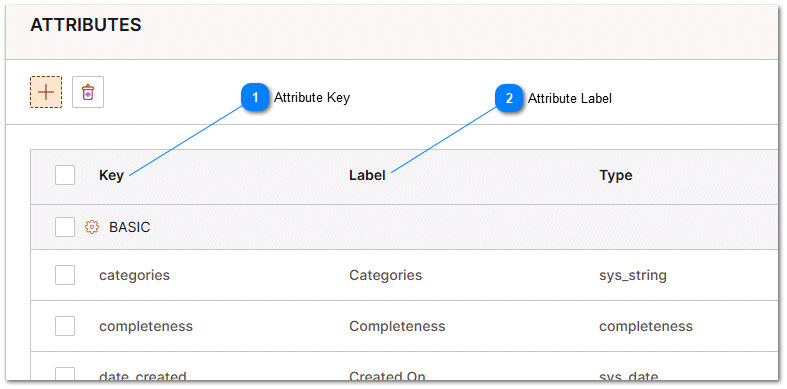
Attribute Key The attribute "Key" value or internal attribute name. Unless a view is used to map attributes to different attribute names then this "Key" value should appear as the "column header" for a specific attribute in the import file. |
