What Do `/api/topom/group/info` and `productauth` Mean in Codis?
Author name: Mark James
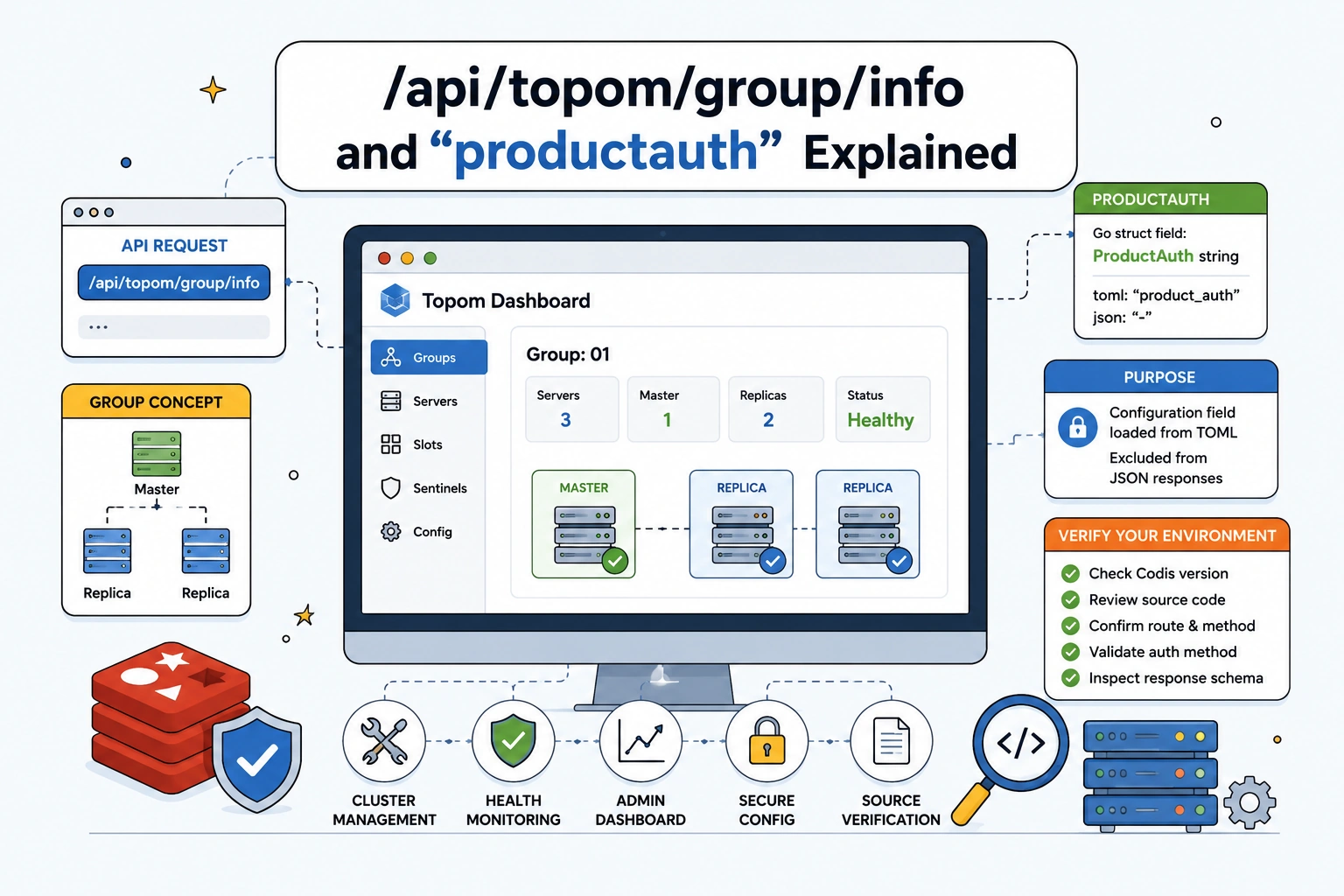
The combined network query "/api/topom/group/info" "productauth" refers to Codis’s Topom dashboard and cluster-management layer, rather than a product information management API. When server logs or diagnostic traces reveal this exact string, you might misinterpret the terminology because the terms overlap conceptually with e-commerce systems. The path points toward administrative operations for a Redis-cluster solution, while the secondary term points to a specific configuration field used by the system's dashboard. At PIMinto, we maintain clear boundaries between the tools that organize retail catalogs and the infrastructure that caches application memory, and our platform does not expose or use this specific route. Across software forks and deployed releases, the endpoint’s current status, HTTP method, required parameters, authentication scheme, and response schema remain unverified. Resolving the request requires inspecting the local environment rather than assuming the route belongs to a public-facing data interface.
How Codis Topom and Groups Fit Together
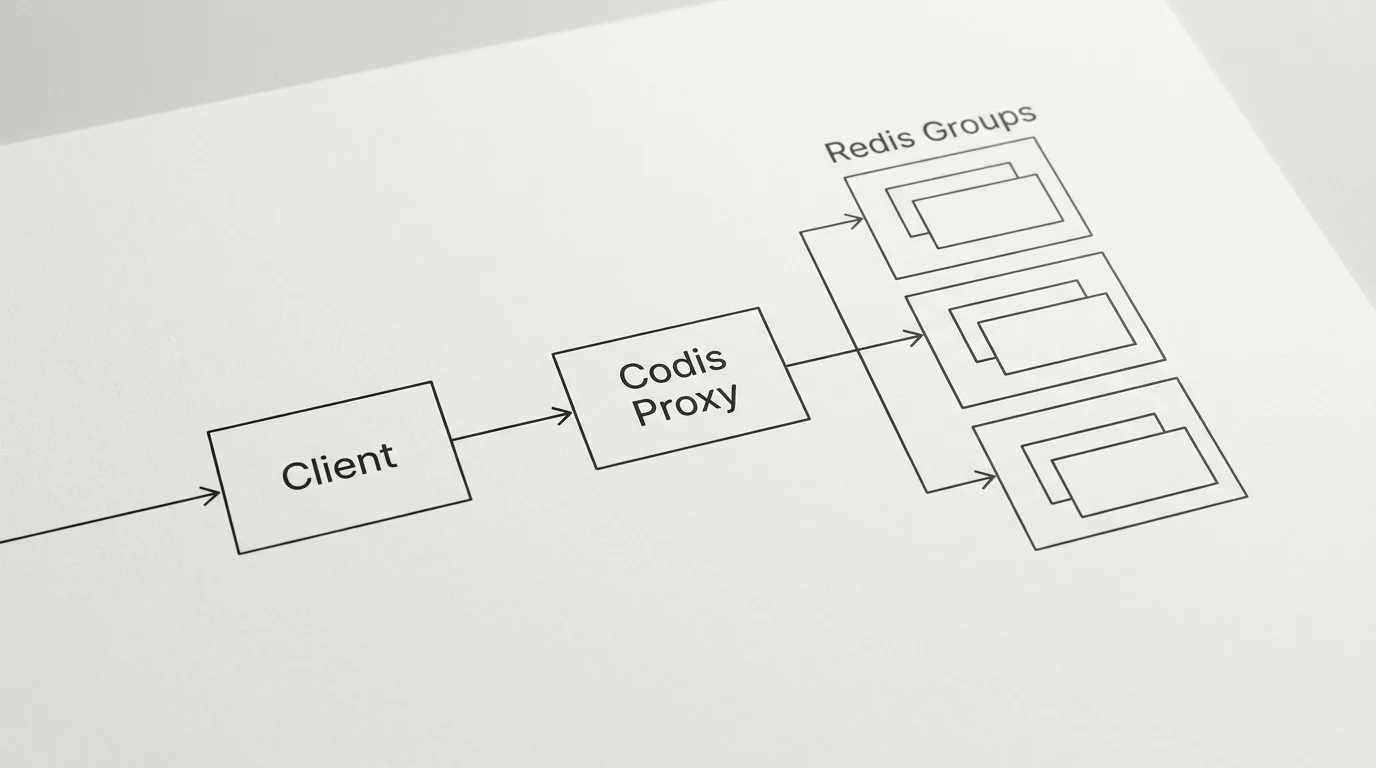
Codis is a proxy-based Redis cluster solution supporting pipeline and dynamic scaling. It provides a GUI website dashboard and administration tools. The official Codis repository outlines an architecture involving proxies, slots, groups, and sentinels.
Understanding how the system groups resources explains why the API path takes its specific shape. A Codis group represents an operational grouping of Redis servers, typically organized as one master node and one or more replica nodes for failover. This failover structure ensures that if a master node crashes, the system can promote a replica to maintain cache availability. The Topom layer tracks the health, membership, and synchronization status of every group in the cluster, so the dashboard requests that state directly from Topom when it renders a visual representation of these servers.
The official Codis tutorial provides operational context for dashboard-based group administration, showing how to create a group, add Codis servers, and initialize slots. It also describes master and slave synchronization and failover procedures for a group.
Untangling ProductAuth, product_auth, and productauth
The second part of the query requires separating formal configuration syntax from the shortened forms developers use during troubleshooting. A Codis package reference for github.com/stackdocker/codis documents the Config type in the topom package. That source lists the field as ProductAuth string with the struct tags toml:"product_auth" json:"-".
The struct definition maps the Go variable to a TOML key named product_auth, which means that when you configure the cluster, you write product_auth = "some_value" inside the settings file. The application reads that TOML file and populates the ProductAuth string in memory. The definition also includes a JSON tag containing a single hyphen (json:"-"). In Go programming, this hyphen explicitly instructs the standard library to omit the field whenever the struct is serialized into a JSON response.
That omission serves a specific design goal by preventing the system from leaking a configuration value to the web dashboard or any client calling the administrative API. Because the field is intentionally excluded from JSON output, you will not find it in browser network tabs or API payloads. The tag does not prove that the value acts as a public API token, a URL parameter, or a security mechanism. It does confirm that the application drops the field during JSON encoding.
Treat the compressed spelling productauth as an ambiguous artifact rather than a formal specification. When troubleshooting missing configuration values, developers frequently search codebases, log aggregators, or issue trackers using lowercase, unspaced strings to cast a wider net. A search query combining the API path and this compressed spelling likely represents someone trying to determine why a request failed or why a specific configuration field did not propagate to a dashboard view. This spelling acts as informal shorthand and does not equate with current upstream configuration names unless you check the exact deployed release.
Verify the Route Against Your Codis Version
Because deployment environments drift from open-source defaults, troubleshooting this path requires pinning down your exact installed software. A route discovered in a vendor fork or an older deployment may not exist in the current upstream master branch. Organizations run modified versions of cluster managers to accommodate proprietary deployment pipelines or custom authentication modules, so identifying the exact version, Git commit hash, and build timestamp of the dashboard binary serving the traffic is the first step.
With the version identified, trace the route to its Go handler function. The upstream pkg/topom directory lists topom_api.go, topom_group.go, and related test files. Inspect the implementation to confirm the endpoint registration, HTTP verb, and any required path variables.
Before writing debugging scripts or API clients, inspect the matching handler and its associated unit tests. Together, they establish the actual response fields returned by your specific release. A group object might return an array of server addresses, boolean flags indicating replication health, or integer counters tracking connected clients. Guessing these field names based on tutorials often leads to parsing errors because the response schema changes between minor releases. By reading the local source code, you replace unverified assumptions with concrete facts about how your environment behaves.
Troubleshoot Requests Without Exposing Secrets
When a network request fails against an administrative dashboard, sharing diagnostic data in chat channels, issue trackers, or browser support tickets creates risk if the request involves authentication headers or cluster configuration state. Since the exact authentication mechanism for this endpoint remains unverified, treat any token, session cookie, or configuration string associated with the request as granting administrative access to the caching layer.
Before sharing diagnostic output, prepare a redacted reproduction that removes environment-specific credentials from the URLs and request headers, strips internal hostnames, specific group IDs, cluster names, and sensitive response data, and records the specific HTTP method, sanitized path, and HTTP status code returned by the server. It provides enough structural information to identify routing issues without compromising the environment.
<VERIFIED_HTTP_METHOD> https://<codis-dashboard>/<VERIFIED_ROUTE><VERIFIED_AUTH_HEADER>: <REDACTED>
The response status helps separate routing errors from authentication failures. If the server returns a 404 Not Found, the dashboard might not register the path in your specific fork, or the HTTP verb might be incorrect. If the server returns a 405 Method Not Allowed, the route exists, but you are attempting a write operation on a read-only path. Encountering a 401 Unauthorized or 403 Forbidden means the request reached the correct handler, but the proxy rejected the session. By isolating these failure modes and recording safe diagnostics, you can determine whether you are dealing with environment drift, a configuration naming difference, or an expired session state.
Codis and PIMinto Solve Different Problems
The confusion surrounding these terms stems from overlapping vocabulary applied to different architectural layers. Codis Topom manages infrastructure state by tracking whether a specific Redis node is healthy and whether its data slots replicate correctly across a server group. It focuses exclusively on memory cache availability, network topologies, and proxy routing tables, and the information passed through its dashboard endpoints has no relationship to retail operations, physical inventory, or digital storefronts.
PIMinto operates at the application layer to solve catalog fragmentation for e-commerce teams. A Pim Product Information Management system centralizes the attributes, specifications, and marketing copy associated with physical items. When PIMinto organizes data into a group, it refers to a product family or a cluster of variants, such as a single t-shirt style available in multiple colors and sizes. That catalog grouping allows merchandisers to apply bulk updates, manage complex SKU relationships, and ensure consistency before publishing data to external sales channels.
The platform combines those textual attributes with robust Digital Asset Management, ensuring high-resolution images, video files, and warranty documents stay attached to the correct product variants. Instead of monitoring cache replication, PIMinto monitors data completeness. The software evaluates whether a product record meets the specific validation rules required by major retail platforms before allowing it to sync.
Keeping this integration boundary clear prevents wasted development effort. You cannot use a Redis cluster-management API to update inventory levels or retrieve product descriptions. PIMinto relies on dedicated application programming interfaces and native Connectors to securely push approved catalog changes directly into Shopify, Google Shopping, BigCommerce, and other digital storefronts. For organizations dealing with sprawling SKU counts, deploying Pim Software For B2b Ecommerce centralizes the workflows that drive revenue, leaving infrastructure tools like Codis to focus on server health.
Close With a Source-Checked Answer
Source verification helps distinguish infrastructure diagnostics from application features. Codis operates as a proxy-based Redis cluster solution, and its Topom component manages the administrative dashboard. The upstream repository contains API and group-management source files that align with the path structure found in the query, and historical evidence from a third-party fork confirms that the system utilized a Go configuration field named ProductAuth, mapped to a TOML key, and excluded from JSON serialization.
Other details require direct inspection of your local environment. The current existence of the exact route, its expected HTTP method, necessary path parameters, and the applied authentication scheme remain unverified across different forks and releases. The JSON response schema might vary depending on the Git commit deployed in your datacenter. The path string and configuration field hold no connection to catalog operations, variant groups, or product authorization mechanisms.
If you are managing complex SKU data rather than debugging caching infrastructure, you need tools built for retail operations. PIMinto provides a single source of truth for your product catalogs, combining automated data enrichment with powerful digital asset management and unlimited outputs. Stop wrestling with disjointed spreadsheets and undocumented endpoints. Visit PIMinto to centralize your catalog and accelerate your multichannel growth with free onboarding and migration.
Modified on: 2026-08-26
Blogs you might like
-

Best PIM Software for Shopify in 2026
Shopify handles products well until the catalog outgrows it. Variants pile up, supplier files arrive in different formats, a second store needs the same products with different content, and spreadsheets become the real system of record. That is the p...
-

Jewelry Product Catalog Software: Managing Product Data, Line Sheets and B2B Catalogs
One engagement ring design can come in three metals, four center-stone weights and twelve ring sizes. Add natural and lab-grown versions, a wholesale price for boutiques and a separate price list for Europe, and a single design turns into hundreds of...
-

Beauty and Cosmetics Product Data Management: A PIM Guide for Brands
A lipstick launches in 20 shades. Each shade has its own barcode, swatch, product photo, shade description and stock status, and every retailer wants that information in a different spreadsheet. Six months later the brand adds a matte version and a m...
-

Food and Beverage Product Data Management: A Practical Guide for Brands and Distributors
A granola bar recipe changes: almonds replace cashews. The new label goes to print, but the allergen statement on your website, the spec sheet your distributor uses and the listing on an online grocery site still say "contains cashews." Nobody made a...
