Sharing Digital Assets With External Partners: A Better Workflow
Author name: Mark James
Sharing digital assets with external partners requires more than a fast file transfer. The process involves complex product-content governance that spans inventory relationships, approved versions, usage rights, and partner-specific visibility. A chaotic stream of email attachments, ZIP files, and disconnected spreadsheets forces you to answer the same manual requests repeatedly, which means you lose control over which images or specifications circulate in the market.
Before setting up a sharing workflow, decide how the recipient will interact with the data. The safest delivery method depends on the partner relationship, the volume of data, and the sensitivity of the files. A one-off, low-risk media package for a single campaign might only require a controlled link, but recurring sharing with retailers and authorized distributors generally calls for an authenticated brand portal so they can browse a curated catalog independently. High-volume channel publishing calls for an API, a product feed, or a direct storefront connector.
Sending a ZIP file full of JPEGs detaches the media from the product data it describes, and folders fail at scale because their naming conventions do not reliably communicate product relationships, approval status, or channel readiness.
| Method | Best for | Strengths | Limitations | Recommendation |
|---|---|---|---|---|
| Email attachments or ZIP files | One-off, low-risk packages | Familiar and fast | Poor version control, duplicate files, manual work | Use sparingly |
| Shared cloud folder | Small number of known partners | Easy to start | Folder clutter, permission inheritance, stale downloaded copies | Suitable for simple collections |
| Public or “anyone” link | Public campaign or press assets | Low friction | Links may be forwarded; difficult to attribute access | Reserve for low-sensitivity content |
| Authenticated partner folder | Known recurring partner | Better identity control | Lacks product context and channel data | Suitable for limited workflows |
| DAM or brand portal | Retailers, dealers, distributors, agencies | Searchable, curated, approved content and centralized updates | Requires metadata and governance | Best fit for recurring external distribution |
| SFTP or managed file transfer | Scheduled technical exchanges | Handles large or automated file packages | Less discoverable, requires technical setup | Use when a partner requires it |
| API or product feed | Storefronts, marketplaces, partner systems | Automates structured data and asset URLs | Requires mapping, monitoring, and validation | Use for machine-to-machine publishing |
PIMinto provides a centralized system combining a Product Information Management (PIM) platform and a Digital Asset Management (DAM) repository. By storing the product data alongside the imagery, you can expose controlled, partner-facing portals without losing the structural relationship between a product and its media.
Step 1: Inventory and Classify Every Asset
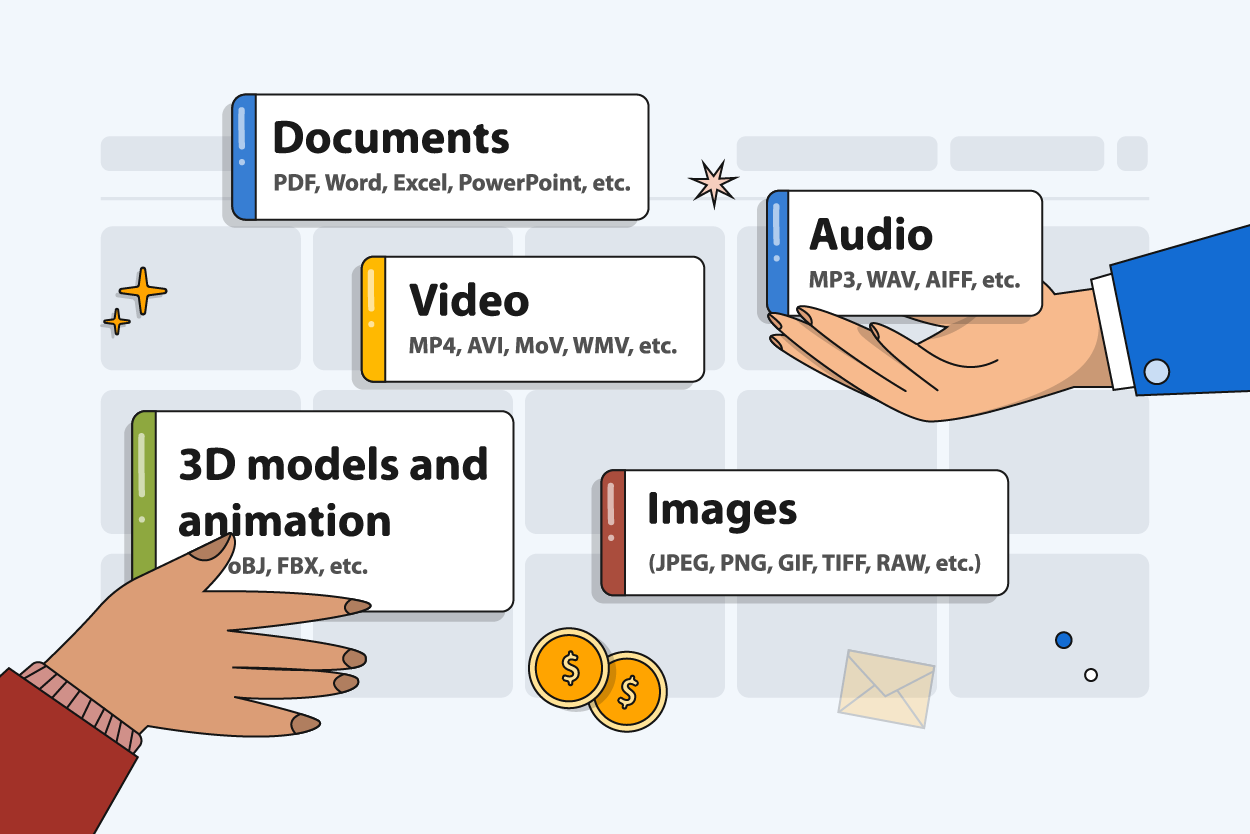
Before exposing a folder or opening an API to external partners, identify exactly what you own and what your partners need. Because the definition of a digital asset extends far beyond main product photography, your inventory needs to account for lifestyle and campaign imagery, product videos, logos, and brand guidelines.
Technical partners require spec sheets, line sheets, installation manuals, user guides, warranty documents, and compliance certifications, while manufacturers sharing data with distributors often share CAD drawings, 3D files, and packaging artwork. Alongside these files, classify the structured attributes that give them meaning, including dimensions, materials, compatibility data, and approved marketing copy.
Start by separating your inventory into three distinct groups. High-resolution master assets, such as raw photography files or source engineering documents, stay under internal control. Approved delivery assets are the finalized PDFs and edited images prepared specifically for partner use, while channel renditions are the cropped, compressed, or reformatted files created for a particular retailer, marketplace, print catalog, or storefront.
A distributor needs product photography, warranty documents, dimensions, and compatibility information, rather than your engineering source files or internal cost data. Exposing the entire internal library creates confusion and risks leaking unreleased product specifications. Audit the existing files to identify approved content, flag obsolete or missing assets, isolate restricted documents, and quarantine internal drafts so partners only see finalized material.
Step 2: Link Each Asset to the Right SKU
Relying on folder structures and filenames creates liability because partners search for assets by product name or identifier. Every image, document, and video needs an explicit relationship to the correct product record.
Map parent products and child variants meticulously to avoid confusion, since a generic folder named for a product family cannot distinguish between a red exterior shell and a blue one. Color, pattern, material, size, and regional configurations demand exact variant-level mapping, and replacement parts or bundle components require their own asset relationships. When you manage product images and videos centrally, you eliminate the risk of a partner attaching the installation manual for a 110-volt regional variant to the product page of a 220-volt model.
Build a metadata schema that supports external discovery by assigning fields for the SKU, parent product, variant identifier, asset type, and approval status. Track the version date, intended market, language, and intended channel, while noting usage rights, expiration dates, file format, dimensions, and file size.
Enforce a clear lifecycle state for every item in the library using tags such as Draft, In Review, Approved, Published, Replaced, and Retired. External partners need to see only assets carrying the Approved or Published state. PIMinto’s Digital Asset Management capabilities are built around this principle, linking technical documents and marketing videos to specific SKUs so product media remains permanently connected to the product data it describes.

Step 3: Configure Partner-Specific Access
Turn your asset inventory into a least-privilege access model, granting partners only the product data and files necessary to fulfill their specific role, contract, territory, or channel.
For recurring or sensitive sharing, use named partner accounts or authenticated invitations, restricting access by organization, domain, role, or region where your platform allows it. Using Microsoft’s guidance on SharePoint sharing links as a concrete example of this trade-off, an "Anyone" link offers low friction, but anyone with the link can access the item without authentication and that access cannot be audited. A "Specific people" link works only for the people you specify.
NIST SP 800-171 Revision 3 provides recommended security requirements for protecting Controlled Unclassified Information in nonfederal systems and organizations, for use by federal agencies in contractual vehicles or other agreements with nonfederal organizations. For unreleased specifications and pricing data, allow only the access necessary to accomplish assigned tasks, and review those privileges frequently.
Record your usage rights and enforce them through metadata by logging the permitted territory, approved channel, campaign use case, required attribution, license expiration, and embargo dates. Clearly mark whether cropping or editing is permitted, and separate public marketing imagery from internal engineering documents.
Build a curated partner view that filters out the noise. PIMinto uses brand-portal views, API keys, SKU restrictions, attribute restrictions, and category filters to present only the approved assortment, which means if a regional dealer only carries three product lines, their authenticated portal view displays only those three lines, complete with their corresponding approved assets and contextual product data.
Step 4: Publish Through Portals, Feeds, and APIs
People and systems require different delivery experiences. A human dealer, sales representative, or agency partner needs a curated brand portal to search, filter, compare items, view product sheets, and download approved assets.
According to PIMinto’s brand-portal documentation, a centralized PIM/DAM model links images, videos, descriptions, and SKU relationships before exposing that selected content through a highly configurable external portal. The platform handles portal search, filtering, asset distribution, and the generation of product and line sheets. By reading the lifecycle state and view restrictions established in previous steps, the portal dynamically blocks unapproved or restricted items from rendering.
System-to-system publishing requires APIs, feeds, transformations, or direct connectors because storefronts, marketplaces, and partner databases do not browse folders; they ingest structured data and require stable asset URLs. PIMinto provides pre-built connectors for Shopify, WooCommerce, Magento, and BigCommerce, along with API options for other systems, translating the central record into the schema each destination demands.
Channel readiness is a common failure point for automated syndication, as different destinations enforce different validation rules for variant-specific imagery, supported file formats, and image dimensions.
Google Merchant Center imposes strict rules on product imagery. Its image-link specification requires a main image link and supports JPEG, WebP, PNG, GIF, BMP, and TIFF formats. It caps images at 64 megapixels and 16 MB, recommends approximately 1,500 by 1,500 pixels or higher for best performance, and sets a minimum of 500 by 500 pixels for all products beginning January 31, 2027. Those figures describe Google Merchant Center’s requirements, so your architecture should store an original master and distribute tailored renditions to each connected endpoint. Categorize assets as well so your system can route specialized media to storefronts equipped to render it.
Step 5: Keep the Source of Truth Current
Establishing the workflow is only the beginning because maintenance depends on a consistent, centralized process for replacing and retiring assets.
When a specification changes or a manual is updated, replace the old asset centrally within the PIM. PIMinto’s architecture ensures that changes to underlying product data update the display in the brand portal immediately, so obsolete files disappear from partner views and the current version takes their place.
Distinguish between a current portal view and files a partner has already downloaded, because a portal cannot reach into a retailer's local hard drive and delete a stale PDF. If a change affects product safety, installation instructions, warranty claims, or channel compliance, notify partners directly. Review access logs after marketing campaigns end, when personnel change, if territories are redrawn, or when a contract expires.
Measure the operational health of your sharing model rather than relying on abstract industry benchmarks by tracking the manual asset-request volume hitting your support team and the average request-fulfillment time. Monitor the percentage of active products lacking approved assets, count your outdated-asset incidents, evaluate overall portal usage, and analyze your channel image or feed rejection rates. When you measure the time required to launch a new product across partner channels, you can see the return on your governance efforts.
If you use tools like PIMinto's AI PIM Assistant to draft titles, descriptions, translations, or attributes, treat the output as a draft. Have a person review all AI-generated content and move it to an Approved state before any external partner or API feed accesses it.
Avoid the Failure Modes That Recreate File Chaos
Even with a dedicated platform, sloppy execution recreates the exact spreadsheet and folder chaos you set out to escape, so catch the common breakdowns early.
Sending ZIP files without product context guarantees that partners apply assets to the wrong variants, and relying on filenames instead of strict SKU relationships leads to broken marketplace feeds. Exposing internal drafts or unapproved photography damages brand credibility while violating distributor embargoes. Similarly, granting every partner access to the full catalog overwhelms them with irrelevant data and risks leaking restricted technical documents.
Omitting rights or expiration metadata leads to expired licensing claims, and mapping imagery to a parent product while ignoring the variants results in storefronts displaying the wrong color or size. Attempting to force one rendition to serve every channel guarantees feed rejections, particularly when submitting to marketplaces with strict requirements. Assuming a portal update automatically fixes a file a partner downloaded three months ago leaves outdated compliance documents in circulation. Finally, failing to assign a specific owner for asset retirements and access reviews ensures your portal eventually becomes a graveyard of legacy files.
Make the process repeatable by defining your specific audiences and inventorying your available assets. Link every file to its exact product and variant, add comprehensive metadata, and approve the content before configuring partner-specific views. Test your portal outputs and API payloads, validate your data against channel rules, document your change management process, and track your operational measures.
Sharing digital assets with external partners stops being a liability when you treat it as a structured data discipline. By anchoring your media to a centralized Product Information Management system, you give partners a searchable, controlled environment while keeping your catalog managed from one reliable source.
Stop answering manual file requests and fighting version-control issues across disconnected shared drives. See how PIMinto turns your product catalog and asset library into a controlled, partner-ready brand portal. PIMinto includes unlimited users, unlimited data outputs, completely free onboarding, and free data migration for your existing spreadsheets or commerce platform. Visit PIMinto to start sharing digital assets with external partners effectively today.
Modified on: 2026-08-27
Blogs you might like
-

Best PIM Software for Shopify in 2026
Shopify handles products well until the catalog outgrows it. Variants pile up, supplier files arrive in different formats, a second store needs the same products with different content, and spreadsheets become the real system of record. That is the p...
-

Jewelry Product Catalog Software: Managing Product Data, Line Sheets and B2B Catalogs
One engagement ring design can come in three metals, four center-stone weights and twelve ring sizes. Add natural and lab-grown versions, a wholesale price for boutiques and a separate price list for Europe, and a single design turns into hundreds of...
-

Beauty and Cosmetics Product Data Management: A PIM Guide for Brands
A lipstick launches in 20 shades. Each shade has its own barcode, swatch, product photo, shade description and stock status, and every retailer wants that information in a different spreadsheet. Six months later the brand adds a matte version and a m...
-

Food and Beverage Product Data Management: A Practical Guide for Brands and Distributors
A granola bar recipe changes: almonds replace cashews. The new label goes to print, but the allergen statement on your website, the spec sheet your distributor uses and the listing on an online grocery site still say "contains cashews." Nobody made a...
