How To Manage Spec Sheet PDF Online In 2026
Author name: Mark James
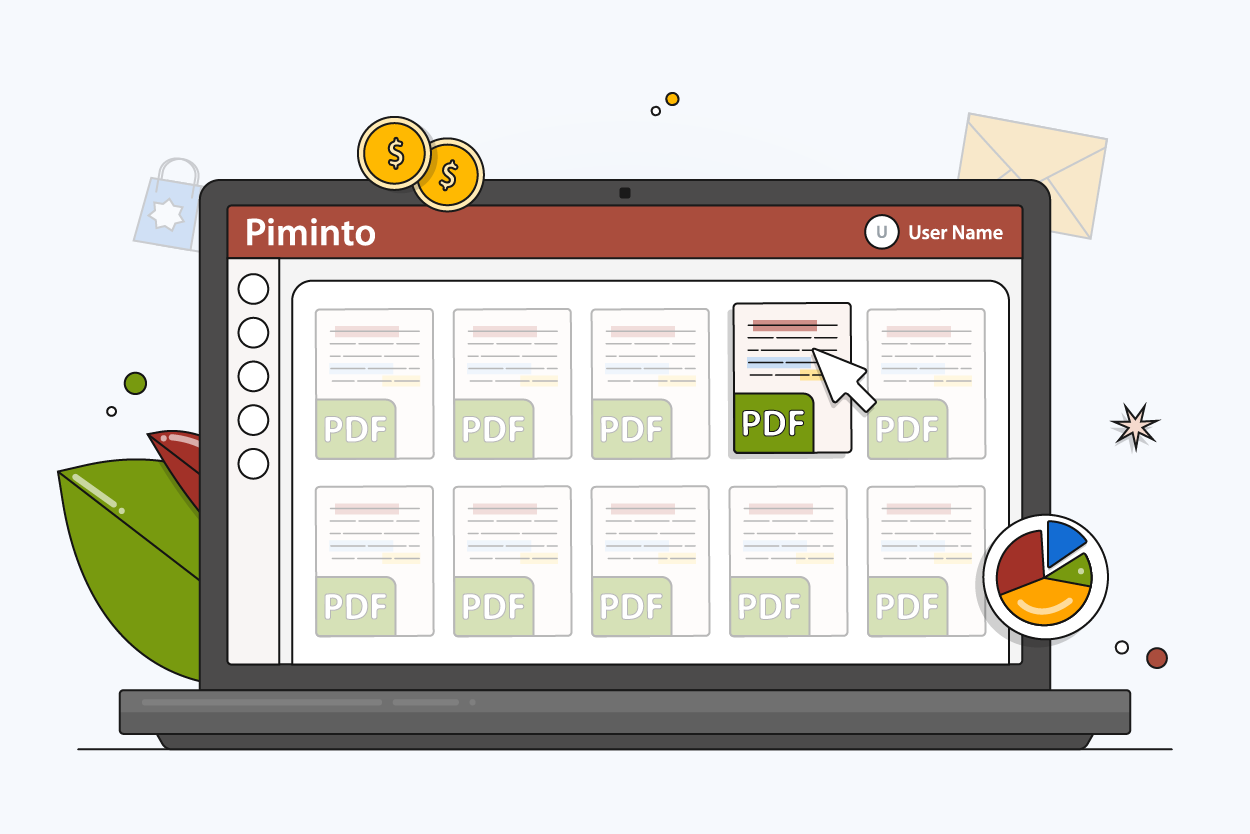
Sending a static PDF spec sheet via email means someone is acting on outdated data. A distributor requests technical specifications for a new product line, your team exports a file from a design program, and the moment that attachment hits their inbox, it decouples from your live inventory and engineering updates. Across various B2B and retail sectors, e-commerce companies lose an average of 23% of potential revenue to product catalog errors, which frequently occur when buyers order based on wrong dimensions or obsolete materials found in old documents — you can estimate your own exposure with PIMinto's ROI calculator. Data shows that 87% of shoppers consider detailed product content a key purchase factor, while 83% will abandon sites entirely if they encounter insufficient or inaccurate information.
To manage spec sheet PDF online effectively, you must stop treating the PDF as a static, standalone document and start treating it as an output of a live database. Transitioning from manual spreadsheets to centralized, AI-driven portals ensures accurate B2B catalogs. Removing human intervention from the data routing process via these centralized systems reduces product data errors. Building this infrastructure gives you a system that automatically generates and distributes technical specifications, which prevents the need to copy and paste data across different software tools.
Before beginning, gather your current product data sources. You need access to your raw attribute spreadsheets, your digital assets folder, and admin credentials for your sales channels. PIMinto replaces disjointed file creation by centralizing product data into a single source of truth, applying its unlimited user model so your entire engineering and sales teams can collaborate on updates.
The Hidden Cost of Manual Spec Sheet PDFs
Relying on local files to handle complex B2B catalogs creates a massive data bottleneck. Research across multiple industries by the University of Hawaii, based on foundational studies by Ray Panko, shows that between 88% and 94% of business spreadsheets contain critical manual entry or formula errors. Because your product attributes live in Excel, generating a spec sheet requires you to manually move that flawed data into a layout template. This manual data handling forces your engineering and marketing departments to spend hours verifying dimensions before they can publish a single document.
Online channels now generate 34% of total B2B revenue, climbing steadily as buyers abandon traditional ordering methods. These buyers expect real-time accuracy comparable to B2C shopping. Mature digital commerce suppliers beat sales goals by a 110% greater margin than laggards by meeting these consumer-grade expectations. A disjointed cataloging process causes costly product returns when a shipped item fails to match the downloaded spec sheet. Adopting a cloud based PIM architecture solves this disconnect, moving the master record out of the file system and into a structured database. The global Product Information Management market is projected to grow rapidly through 2030, reflecting this widespread shift.
| Workflow Component | Manual PDF Approach | Centralized PIM Approach |
|---|---|---|
| Data Storage | Scattered across local Excel files, disparate network drives, and individual employee hard drives | Unified securely in a single cloud database accessible globally by authorized team members |
| Asset Linking | Manually placed and resized within proprietary desktop layout software | Natively linked via SKU relationships using dynamic rendering |
| Update Speed | Requires days to manually revise, re-export, and redistribute updated files to stakeholders | Executes instant API sync protocols across all connected e-commerce channels |
| Version Control | Becomes impossible to track or revoke once the file is emailed to an external partner | Enforced strictly via self-serve brand portals that only serve the most recent master record |

Step 1: Establish a Single Source of Truth for Data
Because a PDF should never serve as the master record for your products, product data must live in a central database to generate dynamic specifications on demand. Your first action is mapping out your technical attributes into a standard schema. You will use this schema to dictate exactly how data fields accept input, which prevents users from typing conflicting formats into the system.
Open a new repository and define the specific fields every product in your catalog requires. A standard B2B schema includes the base SKU, weight, physical dimensions, material composition, and regulatory compliance codes. Format these fields strictly by using boolean values for yes/no features like "Waterproof", predefined dropdowns for materials like "304 Stainless Steel" versus "316 Stainless Steel", and specific unit measurements for dimensions. Keep your measurements consistent, avoiding a mix of metric and imperial units in the same text field. Differentiate your logistical attributes from your physical product attributes, creating separate fields for "Shipping Weight" and "Item Weight" to prevent miscalculations during fulfillment.
Once you define the schema, import it into your product data management software. PIMinto provides free onboarding and data migration, allowing you to hand over raw legacy spreadsheets so the platform can map them into structured database fields — for custom transformations during import, you can also use the PIM Import Script Language to apply conditional logic row by row.. Outsourcing this step eliminates the risk of importing broken formulas, hidden macros, or misaligned rows into your new system. The migration team strips out rogue HTML tags and trailing spaces that frequently corrupt manual spreadsheets, ensuring your foundation remains perfectly clean before you begin connecting external sales channels.
Step 2: Unify Your Text Specs and Digital Assets
A common operational failure occurs when a spec sheet lists the correct text dimensions but displays an outdated CAD render. Text specifications and product imagery usually live in separate departments, causing alignment issues during manual document creation. When an engineer updates a housing component, marketing teams often fail to receive the new render, resulting in mismatched documentation being distributed to buyers.
Unifying your Product Information Management (PIM) and Digital Asset Management into one workflow solves these visual discrepancies. PIMinto combines dimensions, materials, and product images natively within a single platform. Upload a new 3D render, schematic, or high-resolution photograph to the DAM, and link it directly to the corresponding SKU in the PIM. The platform automatically associates the file with the text data, storing everything under one unified product profile.
Enforce strict naming conventions for your uploaded files, naming the primary schematic [SKU]_schematic_v1.pdf and the primary image [SKU]_front_angle.jpg. Consistent naming rules allow automated systems to ingest thousands of images and assign them to the correct products without manual tagging. When the PIM and DAM communicate natively, any online spec sheet generated by the system pulls the exact asset linked to that SKU. If engineering revises a component, they replace the image file in the DAM, prompting the system to update the visual across the entire catalog without touching the text attributes. This direct replacement method prevents outdated files from lingering in hidden subfolders.

How To Manage Spec Sheet PDF Online With AI
Standardizing complex B2B catalogs takes months of manual labor, and missing fields cause dynamic spec sheets to render with blank rows. If an industrial drill lacks a listed chuck size, buyers will abandon the purchase rather than call a representative to ask. To scale your operations, automate the creation of technical attributes using artificial intelligence. Global B2B retailers increasingly use AI across their e-commerce platforms to handle data complexity at scale, a deployment rate that varies by company maturity.
Running your raw catalog data through PIMinto's AI PIM Assistant allows the tool to read existing unstructured product descriptions and extract the implicit technical data. If a legacy description reads "Heavy duty stainless steel hex bolt 5mm with 1.5 thread pitch," the AI parses that string and populates the dedicated material, diameter, and thread pitch fields. You can also configure the AI to normalize vendor data, commanding it to automatically convert inconsistent supplier abbreviations like "SS" or "Stnls" into the standardized "Stainless Steel" value required by your schema.
Set strict rules for the AI extraction process by configuring the assistant to flag fields where confidence is low. This routes those specific SKUs to a human manager for manual approval, keeping oversight embedded in the workflow. Bulk enrichment guarantees high-quality, standardized formatting across thousands of products before anyone generates a customer-facing document, accelerating database creation from quarters to mere hours. Handling translations via AI also allows you to duplicate your primary language catalog and generate localized spec attributes for international storefronts without hiring external translation agencies.
Step 4: Enforce Strict Version Control Across Channels
Modern wholesale operations span multiple digital storefronts. Because the burden of catalog maintenance scales rapidly across these platforms, manually uploading revised PDFs to distinct storefronts causes duplicate content penalties and versioning disasters. Search engine web crawlers index these multiple outdated PDFs across different subdomains, confusing buyers who discover conflicting specifications via organic search.
To manage spec sheet PDF online securely, push structured data directly to external channels via automated syndication. PIMinto natively includes API connectors to Shopify, BigCommerce, WooCommerce, Wix, and Google Shopping. Unlike legacy alternatives that gate these connectors behind pricey add-ons, PIMinto includes them as standard with any paid subscription alongside unlimited data outputs. You configure the connectors once, and the software handles the continuous background synchronization.
Map your PIM fields to the specific endpoints required by each storefront, routing technical specs into custom Metafields for Shopify and mapping them to the precise feed attributes required for industrial goods in Google Shopping. Google requires strict formatting for attributes like GTIN and Manufacturer Part Number (MPN) to approve product listings. By mapping your central PIM fields directly to Google's schema, you prevent listing suspensions caused by missing data. When you update a tolerance or weight in the PIM, the API syncs the new value to all connected platforms. Any spec sheet generated dynamically by the storefront reflects the exact same data housed in the central database, guaranteeing complete synchronization regardless of where the buyer interacts with your brand.
Step 5: Replace Email Attachments with Built-In Portals
External partners need direct access to your technical documents, and continuing to email static files undermines the entire centralized database you built. Buyers increasingly expect flexible, on-demand access to technical specifications and real-time inventory without waiting for a business day to start. 75% of B2B buyers now prefer a rep-free sales experience, bypassing manual catalog requests entirely.
Transition your partners to self-service environments by setting up built-in brand portals within PIMinto. Instead of sending a disorganized zip file of attachments, grant retail partners a secure login to a dedicated portal. This digital environment allows vendors to browse your full catalog, search by specific SKU, and filter products by highly granular technical attributes like voltage or tensile strength.
Configuring role-based access control (RBAC) for different user tiers protects sensitive documents. Give public visitors access to basic dimensions and lifestyle imagery, while granting approved distributors deeper access to CAD files, wholesale pricing, and highly technical schematics. When a partner needs an offline document, they click a button to download a dynamically generated PDF straight from the live database. The portal queries the active schema, injects the real-time text and DAM assets into a branded template, and renders the file on demand. If you securely share product sheets this way, the distributor always pulls the most recent version of the data to eliminate version control conflicts entirely.
How to Verify Your Catalog Updates and Troubleshoot Failures
Setting up a centralized data system introduces new technical dependencies, requiring you to verify that your database communicates correctly with your sales channels and partner portals before decommissioning your legacy spreadsheet process. Moving too fast without testing can result in blank storefronts or incorrectly published wholesale pricing.
Start by testing the API sync logic to catch mismatched field mapping. If PIMinto exports a field labeled "Weight (kg)" but your Shopify store expects a numeric value in a field strictly named "Weight", the sync fails silently. This mapping error means the storefront continues displaying the old data while the PIM shows the new data. You must manually force a sync cycle for a small batch of products to monitor how the destination platform interprets the payload.
Check the API sync logs in your PIM dashboard after initiating your first bulk update, looking specifically for rejected payloads or 400-level error codes. If you see a mapping error, open the connector settings, align the field names exactly, and push a manual sync to clear the bottleneck. A 422 Unprocessable Entity error usually indicates that your PIM sent a text string into a field that the storefront restricted to integers.
Next, test the AI enrichment pipeline, because a poorly configured AI prompt might overwrite accurate historical data with generic assumptions. Create a test batch of fifty complex SKUs, run the AI PIM Assistant on this batch, and export the results to a CSV. Perform a line-by-line comparison against your original engineering documents to look for unit conversion errors, such as the AI interpreting 10 inches as 10 centimeters, and refine the extraction rules before running the assistant across your entire catalog.
Finally, log into the built-in partner portal using a test account configured with distributor permissions and search for a SKU that recently underwent a material change. Verify that the text specifications match the new data, confirm the DAM serves the latest product image, and click the export button. Open the resulting downloaded file to check the formatting. Log in again using a basic guest account to ensure that sensitive wholesale pricing or proprietary CAD files remain hidden from unauthorized users. If the document renders correctly, displays the updated material, and respects your RBAC permissions, your system is successfully managing your spec sheets online.
Managing technical product data does not require endless email threads and disorganized local files. Centralizing your attributes and digital assets eliminates the spreadsheet bottlenecks that cause expensive catalog errors and lost sales. Stop paying enterprise prices for basic connectivity and start scaling your multi-channel strategy. Transform your product data operations today with PIMinto, a transparently priced PIM and DAM platform featuring unlimited users, native AI enrichment, and built-in e-commerce connectors.
Modified on: 2026-08-04
Blogs you might like
-

Bulk Import Products to Shopify: Step-by-Step
Adding products one at a time works for a handful of items and turns into hours of copy-paste for a real catalog. Shopify lets you bulk import or bulk upload products with a CSV file, and for larger or recurring catalogs there are apps, the Admin API...
-

Best PIM Software for Shopify in 2026
Shopify handles products well until the catalog outgrows it. Variants pile up, supplier files arrive in different formats, a second store needs the same products with different content, and spreadsheets become the real system of record. That is the p...
-

Jewelry Product Catalog Software: Managing Product Data, Line Sheets and B2B Catalogs
One engagement ring design can come in three metals, four center-stone weights and twelve ring sizes. Add natural and lab-grown versions, a wholesale price for boutiques and a separate price list for Europe, and a single design turns into hundreds of...
-

Beauty and Cosmetics Product Data Management: A PIM Guide for Brands
A lipstick launches in 20 shades. Each shade has its own barcode, swatch, product photo, shade description and stock status, and every retailer wants that information in a different spreadsheet. Six months later the brand adds a matte version and a m...
