Automated Product Descriptions: How They Work
Author name: Mark James
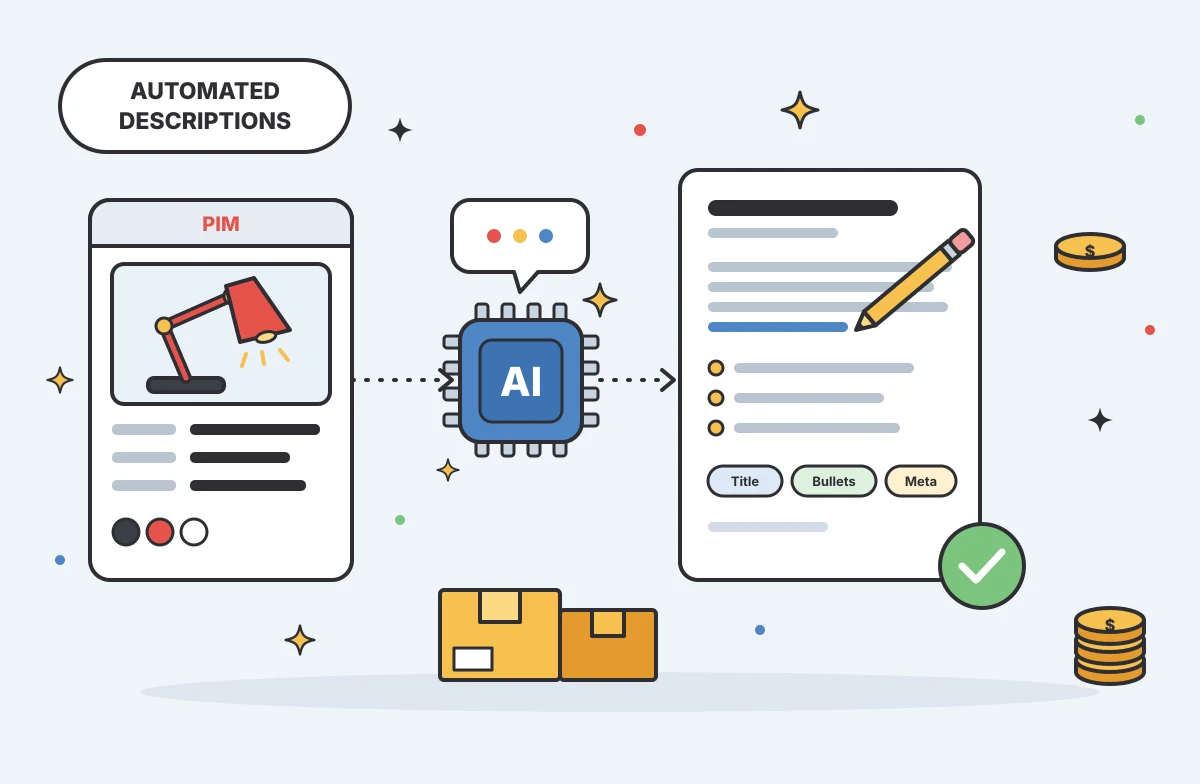
A blank description field can hold up a product launch, especially when the catalog runs into hundreds of SKUs. Automated product descriptions use product data to draft copy at scale, but the writing is only one part of the job. Your team still needs a reliable source of facts, clear review rules, and a path to each sales channel.
Table of Contents
- What Automated Product Descriptions Are and What They Automate
- How Product Data Becomes Description Copy
- Where Description Automation Fits in an Ecommerce Workflow
- Why Channel-Specific Copy Needs a Shared Source of Truth
- Keeping Automated Copy Accurate, Useful, and On-Brand
- How a PIM Supports Automated Product Descriptions at Scale
- FAQ
- Conclusion
What Automated Product Descriptions Are and What They Automate
Automated product descriptions are product-page copy generated from catalog details with software, often using AI. The system takes facts such as a product name, material, dimensions, and intended use, then turns them into readable text for shoppers.
That differs from asking a general writing tool to invent copy from a product name alone. A useful workflow starts with known facts. It tells the system what fields it may use, what tone to follow, and what kind of output each channel needs.
The automation can cover more than a long paragraph. A team might generate a short description, benefit-led bullets, a search title, or meta copy from the same product record. Each field has a purpose. A short description may appear near the product title, while specs answer direct questions such as size or material.
Generation can serve as a drafting aid, not a reason to remove human review.
AI can also apply a set brand tone across many SKUs. Your brief might ask for plain, helpful language or a more formal style. The tone setting guides word choice, but it cannot make missing product facts appear. If the source record does not say a jacket is waterproof, the description should not claim it.
The broader feature picture is uneven. AI writing is now common in product-content tools, while channel feeds and bulk-update features are less consistent. That gap matters because a team can generate copy quickly and still spend hours moving it between spreadsheets, a PIM, and storefronts.
We treat generation as one part of product information management, or PIM. PIM software organizes product facts in a central system so teams can review and reuse them. PIMInto’s AI assistant for product information tasks is one example of using AI within a catalog workflow rather than in a disconnected writing box.
So the useful question is not only, “Can it write?” Ask whether it can use approved data, return copy in fields your team can check, and connect that copy to the next step in your process.
How Product Data Becomes Description Copy
Automated product descriptions begin with a product record, not a clever prompt. The record gives the model facts to work with and gives your reviewer a way to check each claim later.
A source record may contain a product title, category, features, dimensions, materials, care details, and compatibility. Only include fields that matter for the item. A product description for a storage bin may need capacity and dimensions. A clothing item may need fabric and care details instead.
Next, a prompt sets the writing rules. It can define the audience, voice, length, keyword use, and layout. For example, ask for a short opening that states a shopper benefit, followed by a few supported details.
Structured output makes the result easier to use. Rather than asking for one block of prose, ask for separate fields such as description, bullet copy, and search title. JSON is one format that machines can read consistently, but the data still needs validation before it enters a live product record.
That validation can check whether required fields exist, whether the response follows the expected format, and whether claims match source attributes. A rule can also flag numbers in the draft that do not appear in the product data. These checks will not judge every sentence, but they can catch common factual slips before publication.
Then route the draft to a review queue. A merchandiser can compare the text with the source record, adjust awkward wording, and approve the fields that are ready. If the reviewer rejects a claim, send a clear reason back into the next generation attempt. Keep the original data attached so the revision does not lose its factual basis.
For a small catalog, a spreadsheet and a one-time prompt may be enough to test the idea. A larger catalog needs repeatable input mapping, a record of draft status, and a safe way to prevent the same products from being processed twice. Otherwise, each new batch creates another cleanup task.
Teams that want AI inside the catalog can explore PIMInto’s AI product description and enrichment workflow. The key is to keep the data record connected to the generated fields, so a reviewer can trace a claim back to its source.

Where Description Automation Fits in an Ecommerce Workflow
Automated product descriptions work best inside a larger ecommerce workflow. Generation speeds up drafting, but teams also need to prepare inputs, check results, and send approved content to the right platform.
First, gather product information from its source. That might be a supplier file, an internal spreadsheet, or another business system. Normalize field names before generation. “Product width,” “width,” and “item dimensions” may refer to the same idea, but a workflow cannot map them reliably unless the team defines the link.
Then check whether each product has enough information for useful copy. A missing material or fit detail should not be filled with a guess. Mark gaps for the product owner or supplier to resolve. This step is especially helpful when a new collection arrives in a rushed spreadsheet with inconsistent terms.
After generation, run automated checks and send uncertain drafts for human review. A reviewer should see the generated text beside the source fields, not in a separate document. That shortens the handoff and makes unsupported claims easier to spot.
Approved content can then move to a storefront or marketplace. A connector, often called an API, lets systems exchange data. A channel feed maps product fields into the format a sales destination expects. Those are related jobs, but they are not the same as PIM: a feed distributes information, while a PIM keeps the managed product record.
That distinction prevents a common workflow gap. A team may have a generator that writes copy but no built-in route to Shopify, WooCommerce, or Google Shopping. Staff then export a file, adjust columns, and upload it by hand. The writing step is automated, but the catalog process is not.
No-code workflow tools can connect steps without custom software. A trigger might start when a new row appears, then pass approved fields to a generation service and return drafts to a review queue. Before using this pattern, define what happens when a field is missing, a request fails, or a product has already been processed.
For a small pilot, keep the flow simple: generate drafts for one product group, review them, and publish only after approval. For a larger launch, add status tracking and a retry path. Speed saves time only when the handoffs stay clear.
A PIM helps connect these steps because the product record remains the point of reference. It can reduce copy-and-paste work while keeping people responsible for decisions that affect accuracy and customer trust.
Why Channel-Specific Copy Needs a Shared Source of Truth
Automated product descriptions need a shared source of truth when the same item appears in more than one place. A central record holds the approved product facts, while channel rules decide how to present those facts on each destination.
A product page on your own store may allow a longer description with formatted text. A marketplace may use a shorter field or separate bullet sections. A shopping feed may require strict field mapping. Copying one version everywhere can lead to cut-off text, missing details, or content that does not fit the channel.
Start with one master record for the SKU. Keep stable facts, such as dimensions and materials, in structured fields. Store the approved core message separately from channel-specific versions. This lets a team adjust length or layout without rewriting the facts each time.
For instance, a master record might state that a desk lamp has an adjustable arm and a specified finish. A store page can use those facts in a fuller paragraph. A marketplace version can lead with the adjustment feature and place the finish in a concise bullet. Neither channel should add an unsupported claim about brightness or energy use.
Channel transforms are the rules that shape the master content for each destination. They can set field length, formatting, or which attribute appears first. A transform should not silently change product meaning. If a channel does not support a field, the workflow should leave it out or route the record for review.
A shared record also helps when a product detail changes. If a supplier updates a dimension, the team changes it once in the managed record, checks the affected content, then syncs the approved update to connected channels. Separate documents make it harder to tell which version is current.
Do not confuse product feeds with the PIM behind them. A feed sends data to a destination. It usually depends on a source system to provide the product facts. PIMInto is a PIM with built-in feeds for channels such as Shopify, WooCommerce, Amazon, and Google Shopping, so teams can manage catalog information and distribution in one workflow.
That distinction matters when you compare systems. A writing tool may draft channel copy but leave the team to maintain source data and publish the result elsewhere. A feed tool may distribute records but rely on a separate PIM or data source. Map the whole path before deciding which step needs automation.

Keeping Automated Copy Accurate, Useful, and On-Brand
Automated product descriptions need guardrails because a fluent sentence can still be wrong. The safest rule is simple: every factual claim must trace to approved product data.
Write that rule into the generation brief. Tell the model not to infer a certification, material, performance claim, or warranty. If a detail is absent, it should omit the claim or mark the field for review. “Do not make things up” helps, but it is not a substitute for a check after generation.
Use a structured output schema to make review easier. Separate factual fields from persuasive copy. A reviewer can then compare a statement about a product feature with its source attribute, rather than trying to audit a paragraph all at once.
Build a few automated checks around common failure points:
Flag claims that do not match a source attribute.
Check that numbers in the copy appear in the product record.
Catch missing required fields and malformed output.
Flag near-duplicate descriptions across similar SKUs.
Near-duplicate checks matter for variants. If two products differ only by color, their descriptions should not accidentally swap the color or repeat a generic paragraph that hides the difference. When the source data has no useful distinction, fix the catalog record before asking the model to make the copy sound unique.
Brand voice needs the same care. Define tone with examples and rules, not only labels such as “premium” or “friendly.” Share one or two approved descriptions that show the desired level of detail. A stable voice brief helps keep each batch from sounding like a different writer took over.
For search, give the system a relevant phrase and ask it to use that phrase naturally. Do not force a keyword into every sentence. Clear product facts help shoppers and search systems understand what the item is; repeated keywords make copy harder to read.
Set a review threshold based on risk. A routine accessory with complete data may need a lighter check than a regulated or technical product. In either case, do not publish a batch just because the text is grammatically clean. Accuracy comes from checking the source, not the polish.
How a PIM Supports Automated Product Descriptions at Scale
A PIM supports automated product descriptions by keeping product facts organized before and after generation. It gives a team one place to manage the record, review changes, and prepare channel-ready content.
That structure becomes more useful as the catalog grows. A few dozen items may be manageable in a shared sheet. With hundreds or thousands of SKUs, people need clear field names, variant links, ownership, and status tracking. Otherwise, a batch update can overwrite good copy or leave one channel out of date.
A PIM can also separate source attributes from marketing text. Product teams can maintain the facts, while content staff shape the message. Reviewers can see which fields are complete and which items still need work before publication.
For example, say a team receives a supplier update for a set of kitchen tools. It imports the changed material details into the product record, checks affected SKUs, and generates revised copy from the approved fields. A reviewer checks the changes, then the team sends the content to connected channels. The update has a visible path instead of several competing spreadsheets.
The PIM should fit the current process rather than add a new data silo. Check how it imports existing catalog data, whether it can map the fields your channels need, and how it handles errors during sync. Ask what happens to a draft when a product record changes after copy approval.
Also check the boundary between the PIM and other tools. A writing assistant may generate text but not manage product records. A feed service may send product data but not act as the source of truth. PIMInto combines PIM functions with built-in channel feeds and AI description generation, addressing the handoff between catalog management and distribution without treating a feed as the PIM itself.
Cost should be judged against the whole workflow, not the price of a draft. A low-cost generator may still require staff to clean data, paste text, format channel fields, and check updates. A broader system may reduce those steps, but your team should confirm the features and integrations that fit its actual catalog before choosing.
Begin with a pilot category that has complete attributes. Track how many drafts pass review, which errors recur, and how much time the team spends fixing them. Those measures show whether automation is reducing work or just moving it to another queue.
For teams building the catalog foundation alongside generation, PIMInto’s AI product description workflow guidance covers review and publishing as part of the content process. Start with the source data, then scale only after the review path works.
FAQ
What are automated product descriptions?
Automated product descriptions are copy drafted by software from product information such as features, materials, or dimensions. AI can shape those facts into a paragraph or other content fields. The team still needs to check that each claim matches the product record before publishing, especially when the data is incomplete or products have similar variants.
How does AI write product descriptions?
AI product description tools use product attributes plus instructions about voice, format, and audience to draft copy. Better inputs usually make the output easier to review because the model has specific facts to use. A human should verify the result against the source record before it goes live.
Can automated product descriptions be SEO-friendly?
Yes, automated product descriptions can include relevant search terms and clear product details. Give the system a target phrase and enough accurate attributes to write useful copy. Avoid keyword stuffing, and review similar listings for duplicate wording. Search-friendly text still needs to answer a shopper’s question clearly.
Can AI generate descriptions for different sales channels?
Yes, if the workflow can adapt approved product data to each channel’s fields and limits. Automated product descriptions may need different lengths or layouts for a store, marketplace, or shopping feed. Keep one source record, then use channel rules to format the copy without changing the product facts.
Does a PIM replace an AI description generator?
No. A PIM manages product information, while an AI description generator drafts copy from that information. Some PIM systems include AI writing, and others connect to separate tools. Automated product descriptions work best when the draft stays linked to the PIM record and approved channel content.
Conclusion
Choose a workflow that connects generation to product data, review, and channel delivery. Start with one well-documented category, test the output against its source fields, and expand when your team can approve it with confidence. That is how you turn catalog chaos into a manageable process and give shoppers clearer product pages.
Modified on: 2026-10-01
Blogs you might like
-

Akeneo Alternative for Enterprise: PIMinto vs. Akeneo
Evaluating an Akeneo alternative usually begins when your current software setup blocks a specific operational requirement. Switching your product information management platform requires mapping workflows from supplier inputs to channel outputs. As...

Mark James
-
20 Examples of Unsought Products
Buyers purchase unsought products only when a specific need, risk, or sudden event forces the issue. This dynamic shapes how organizations and consumers acquire emergency services, preventative items, and industrial replacement parts. Customers actin...
Mark James
-

Best PIM for Adobe Commerce (Magento): Options Compared
For growing US e-commerce and B2B brands, PIMinto is a fast, accessible, transparently priced PIM/DAM solution that helps replace spreadsheet chaos without a bloated enterprise price tag. Its plans start at $300/month and include unlimited users and...
Mark James
-
Choosing an E-Commerce Feed Management Tool
You have products to sell and sales channels that demand specific data formats before they accept your listings. Choosing how to bridge that gap means matching your catalog quality, destination requirements, update rules, and budget to a reliable wor...
Mark James