PIM for Catalog Management: The Complete Guide to Scaling Your Product Data in 2026
Author name: Bradley Taylor
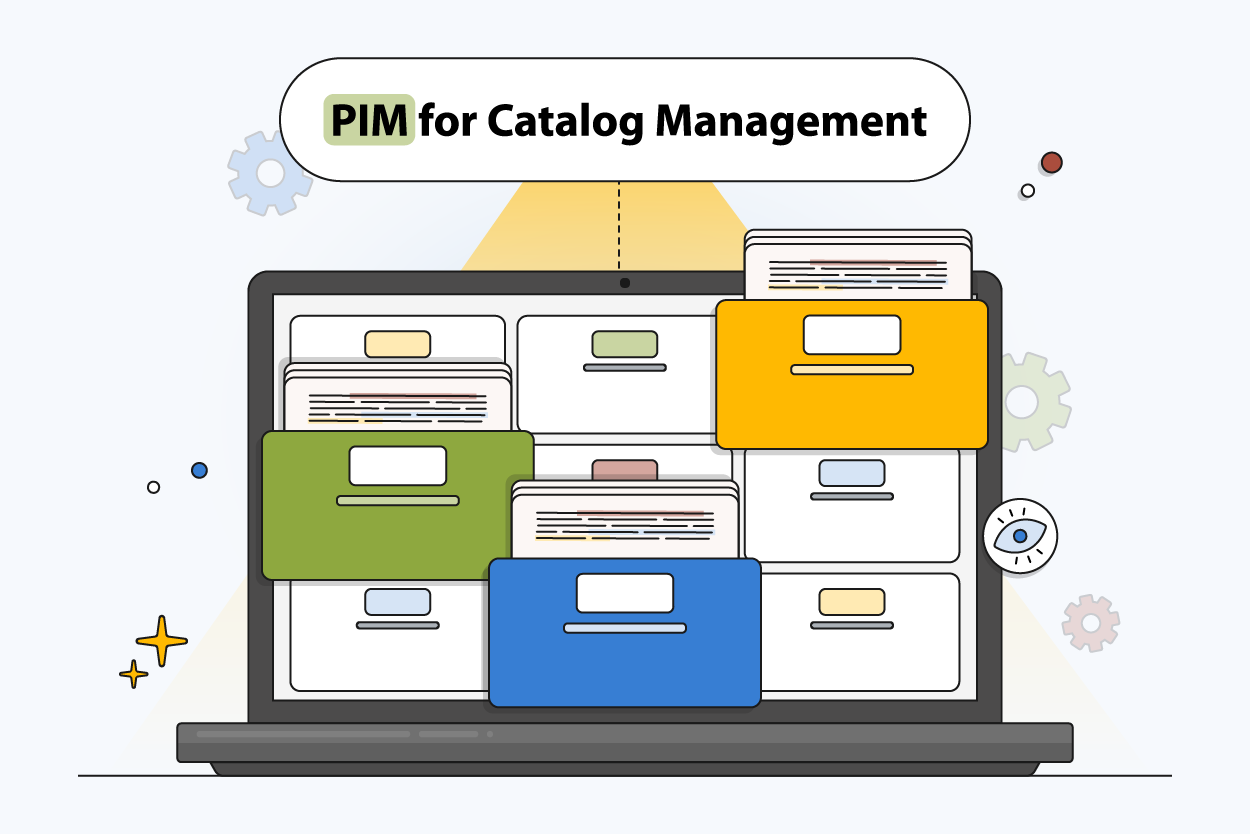
Your product catalog probably started in a spreadsheet. It worked until you added a second sales channel, a third supplier, and a few hundred more SKUs. Now the spreadsheet has tabs for Shopify, tabs for Amazon, tabs for wholesale — and nobody is sure which version is current.
This is where most ecommerce teams start looking at PIM for catalog management. Instead of maintaining separate files for every channel and hoping nothing falls out of sync, a PIM system puts every product record, image, and attribute in one place. You update a product once, and every connected channel gets the right data in the right format.
This guide covers how PIM works for catalog management, what it replaces in your current workflow, when your team actually needs it, and how to choose the right platform for your catalog size and sales channels.
What Is PIM for Catalog Management?
PIM for catalog management is the practice of using a PIM system as the central hub for every product record in your catalog. Instead of keeping product details in spreadsheets, descriptions in documents, and digital assets in shared folders, a PIM platform brings everything together — attributes, images, specifications, pricing, and channel-specific content — in one structured database.
When a supplier sends updated specifications or your team rewrites a product description, the change happens once inside the PIM. From there, it pushes to your Shopify store, Amazon listings, wholesale portal, and any other connected sales channel in real time. No manual re-entry, no version confusion, no channels showing different product pages for the same SKU.
This matters most when the catalog grows. A team managing 200 products across one channel can survive with spreadsheets. A team managing 5,000 SKUs across four sales channels with digital assets, variants, and localized content cannot. That is where PIM software replaces the workaround and becomes the operating system for your product data.
Key Benefits of Using PIM for Catalog Management
If you’re looking to scale your ecommerce product catalog, it’s useful to understand the benefits of unified product information management systems and how they help you manage your business.
Better Data Quality at Scale
A team managing 5,000 SKUs across three sales channels will eventually find the same product listed with different descriptions on different platforms. A PIM system catches this because every channel pulls from the same record. One update fixes every listing — no more hunting through spreadsheets to find which version went where.
Faster Time to Market
Launching a new product without PIM means creating listings separately in Shopify, Amazon, your wholesale portal, and wherever else you sell. With a PIM platform, you prepare the product record once — attributes, descriptions, digital assets, pricing — and publish to every connected channel in minutes instead of days.
Stronger Customer Experience
When a customer sees one price on your website and a different price on a marketplace, they lose trust. When product details are missing or outdated, they buy from a competitor who gave them better information. Clean, consistent product pages across every channel reduce returns and build confidence.
Centralized Digital Asset Management
Product images, videos, spec sheets, and installation guides live inside the PIM alongside the product records they belong to. Your team stops searching through shared drives and email attachments — every digital asset is linked to its SKU and available to every sales channel.
Consistent Content Across All Sales Channels
Each channel has different formatting rules, required fields, and character limits. A PIM solution formats your catalog data to match each destination automatically. This matters because 91% of consumers switch between multiple channels before making a purchase — and if they see different product details on your website versus a marketplace, trust drops immediately. Your team maintains one master record while Shopify, Amazon, BigCommerce, and your B2B portal each receive exactly what they need.
Reduced Operational Costs
Manual catalog updates cost more than most teams realize. Every hour spent copying data between systems, fixing errors in live listings, or reformatting spreadsheets for a new channel is an hour not spent on selling. PIM software automates the repetitive work so your team can focus on enrichment and growth.
Stronger Support for International Growth
Expanding to a new market usually means creating a separate catalog with translated descriptions, localized measurements, and regional compliance data. A PIM system manages all languages and regions from one place — add a new locale, translate the content, and publish without duplicating the entire catalog structure.
The Hidden Costs of Manual Catalog Management
Below you can see the operational and financial impact of managing a growing catalog without a structured PIM system.
| Problem Area | Hidden Cost | Impact on Ecommerce Teams |
|---|---|---|
| Disconnected files and spreadsheets | Hours of manual updates each week | Slower launches and frequent rework |
| Missing or inconsistent product details | Lost sales due to customer confusion | Lower conversion rates on product pages |
| Repeated data entry across software | Increased labor cost and burnout | High chance of human error |
| Outdated digital assets | Mismatched photos or specs across channels | Poor user experience and brand inconsistency |
| Slow internal reviews | Delays in publishing or updating content | Teams struggle to keep up with channel demands |
| Inaccurate information pushed to marketplaces | Listing errors, suppressions, and penalties | Lost visibility and reduced sales |
| Limited visibility into the catalog | Hard to track what is complete or missing | Decision-making becomes guesswork |
| Dependency on single team members | No standardized processes or automation | Risk increases when staff changes or grows |
| No real-time sync across channels | Updates take days instead of minutes | Customers see outdated or incorrect data |
Key Indicators You Need a PIM for Catalog Management
Ecommerce teams usually feel the strain of catalog growth before they can name the source of the problem. Product data drifts, updates take longer, and every new sales channel adds another layer of work. When these patterns start showing up, it becomes clear that manual tools are no longer enough.
1. Product Data Lives in Too Many Places
Details sprawled across spreadsheets, email threads, and folders lead to conflicting versions of the same information. Small inconsistencies grow into larger catalog issues.
2. Updates Take Too Long to Push Live
A simple change needs to be repeated across every channel and system. Teams lose hours each week updating the same fields in multiple tools instead of relying on a PIM platform that syncs in real time.
3. Sales Channels Show Different Product Details
A customer checks your product on Amazon, then visits your website — and sees a different price, different description, or different images. This happens when each channel gets updated separately. With catalog management through a PIM, every channel pulls from the same source, so the product page looks the same everywhere.
4. Digital Assets Are Hard to Track or Verify
Someone asks for the latest product image and nobody knows if it is in the shared drive, email, or the old folder from last quarter. When digital assets are not linked to product records inside a PIM, your team wastes time searching instead of publishing. A PIM with built-in digital asset management solves this by storing assets alongside the SKUs they belong to.
5. The Catalog Grows Faster Than the Workflow Can Handle
More SKUs, regions, and requirements increase the pressure on your current process. A PIM system brings structure before the growth becomes unmanageable.
Not All PIM Systems Are Built the Same
Recognized the signs? Now learn the 15 critical criteria that separate basic PIM tools from systems that actually scale with your catalog growth.
How PIM Transforms Catalog Management
A PIM system changes how a team manages its catalog by removing the gap between updating product data and publishing it. Instead of editing records in one place and manually pushing changes to each sales channel, the catalog stays in sync because every channel reads from the same source.
Here is what that looks like in practice. RBI Corporation, a distributor with over 250,000 SKUs across multiple ecommerce sales channels, was spending significant time rolling out updates from different suppliers. Product pages across their sites showed different information, and data cleanup was a constant task.
After moving to PIMinto, the team now imports new SKUs and maps supplier data through a single interface. Their ecommerce sites pull product data directly from the PIM API in real time — so every site shows the same information without manual updates. What used to require hours of data entry across systems now happens automatically from one catalog management platform.
The 5-Stage PIM Implementation Roadmap
Most catalog management teams expect PIM implementation to take months. In practice, it follows five stages — and with a platform like PIMinto, standard migrations complete in one to two weeks.
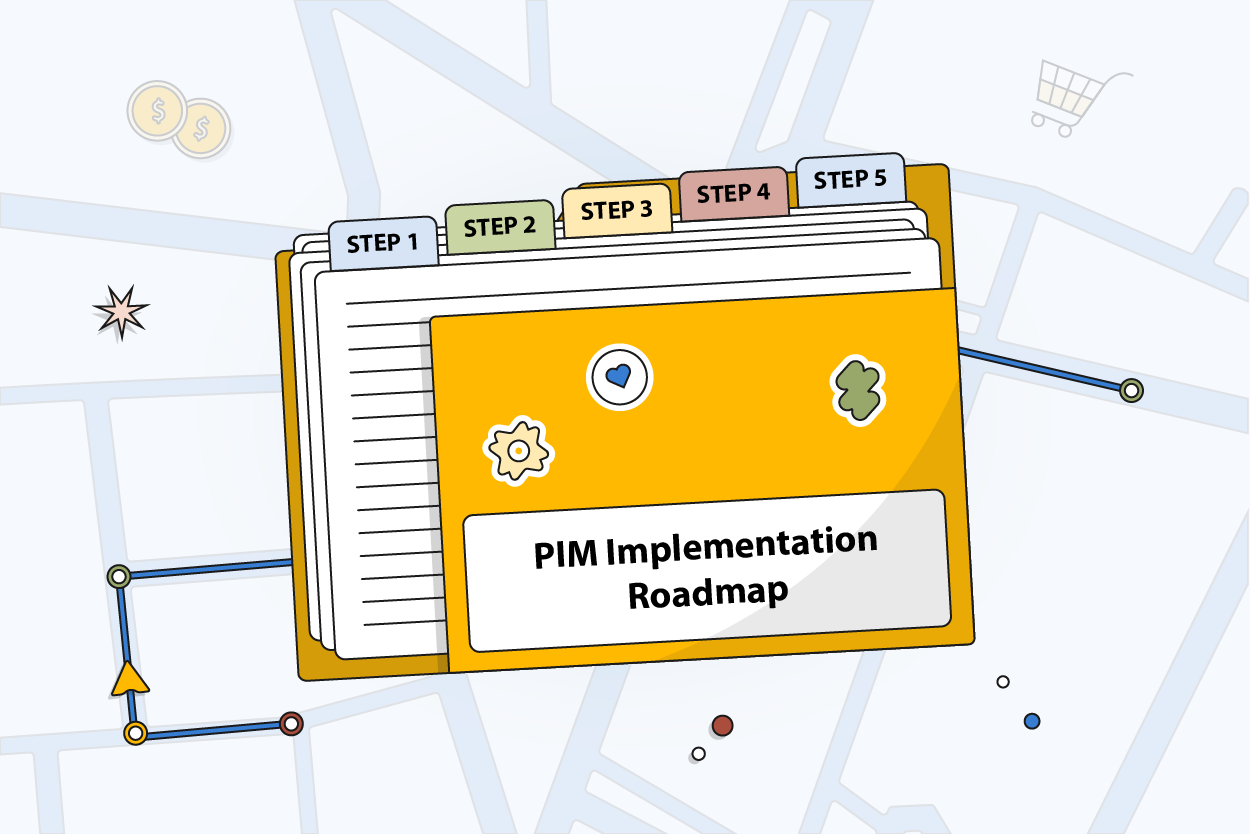
Stage 1: Map Out What the Catalog Needs
The first step is to understand the structure of the catalog. Teams identify the types of products they are selling, what the product needs, and what assets are associated with it. This step in the process keeps everything organized, especially in case other products are added later on.
Stage 2: Bring Existing Data Into One Place
Next, the team begins to bring the data from the spreadsheets, ERP exports, or supplier sheets into the PIM system. This is where the team realizes there are gaps and inconsistencies in the data. Cleaning the data here saves a lot of time later, so the team slows down a little here to get this right.
Stage 3: Set Up Enrichment and Review Steps
Once the data is inside the PIM, the workflow begins to take shape. The team determines the process for moving the product from incomplete to complete, who enters the different information, and the review process for the data.
Stage 4: Connect the PIM to Your Sales Channels
Once the data is clean, the team can connect the PIM system to the other systems, such as the ecommerce platforms, online marketplaces, and other sales channels. Now, the ecommerce platforms, online marketplaces, and other systems are fed the information from one source, saving the team a lot of time.
Stage 5: Go Live and Adjust as the Catalog Grows
Once the team has connected the different systems, the catalog goes live, and the team begins to refine the process based on the areas they are missing.
Critical Success Factors: What Makes or Breaks PIM Adoption
A PIM delivers the most value when the rollout has the right foundation. Strong tools help, but the day-to-day habits of the team matter just as much. The points below highlight the factors that influence whether a PIM becomes a dependable system or something the team struggles to maintain.
| Factor | Why It Matters | Risk If Ignored |
|---|---|---|
| Clear Catalog Structure | Gives teams a consistent way to organize product data | Catalog becomes messy and hard to maintain |
| Cross-Team Ownership | Keeps marketing, operations, and IT aligned on data needs | One group carries the workload and adoption stalls |
| Clean Starting Data | Makes enrichment and updates smoother from day one | Errors spread across channels and slow launches |
| Reliable Channel Connections | Ensures updates reach every storefront in real time | Product pages show outdated or mismatched details |
| Ongoing Process Review | Helps the workflow keep up with catalog growth | Teams drift back to manual work and lose consistency |
AI-Powered Catalog Management: Beyond Basic Automation
AI is now built into many ecommerce workflows, and adoption continues to rise. Recent industry research shows that 29% of ecommerce organizations already use AI at a mature level, while another 48% are in early testing or development. As these tools become more common, catalog management is one of the areas seeing the biggest lift.
What's Next for Product Data Management?
AI is just the beginning. Explore the complete landscape of PIM innovations shaping 2025 and beyond—from headless commerce to real-time syndication.
Within a modern PIM, AI helps fill in missing attributes, correct small errors, and create channel-ready product descriptions. These tasks can slow teams down when the catalog grows, so having automated support keeps enrichment steady without adding more steps to the process.
PIMinto includes a built-in AI PIM Assistant that generates product descriptions, fills missing attributes, and enriches catalog content across thousands of SKUs. Unlike standalone AI tools, it works inside the catalog management workflow — so enrichment, validation, and publishing happen in the same system without exporting data to a separate tool.
Integration Ecosystem: Connecting PIM to Your Tech Stack
The true power of a PIM system is achieved when all the systems in the tech stack are connected, all pulling data from the same source. With PIMinto, this is achieved in a matter of minutes. Pre-built connectors for Shopify, WooCommerce, Magento, BigCommerce, and Google Shopping mean that most ecommerce businesses can get up and running without any significant development work.
For businesses that require a custom solution, the PIMinto API allows developers the flexibility needed to connect custom systems. With all the systems connected, the data is synced in real-time, ensuring that each system in the tech stack receives the right data without the need for any manual uploads or spreadsheets.
The end result is a tech stack that is connected, ensuring that as the product catalog grows, the business continues to run smoothly. New product SKUs are added seamlessly, and updates are pushed out in a flash, saving the business a tremendous amount of time that would have been spent on keeping the tech stack connected.

ROI Calculator: Quantifying PIM Value
When considering a new investment, whether in a PIM system or any other technology, the decision becomes much easier when the numbers make sense. With the PIMinto ROI calculator, businesses can now get a better idea of the kind of benefits a PIM system could bring to the business in terms of saving time and improved data accuracy.
2026-2030: The Future of Catalog Management
The next few years will be even busier for ecommerce teams trying to manage their product data and catalogs. More and more, they'll be expected to keep their data clean and flexible, and their product catalogs growing and evolving. Most will be using PIM systems that can adjust and adapt on their own and facilitate more automated and collaborative work styles.
A few trends are already taking shape:
- Smarter AI tools that help teams enrich data and detect errors before they reach customers
- Stronger links between PIM, DAM, ERP, and headless commerce systems
- Real-time updates across channels instead of scheduled syncs
- Faster onboarding for new product lines and suppliers
- More demand for consistent, channel-ready content in multiple formats
Power Your Catalog Connection With PIMinto
A strong catalog starts with a platform built to handle growth. PIMinto gives ecommerce teams a reliable way to manage product data, enrich content, and keep every sales channel in sync.
Ready to Simplify Your Catalog Management?
If you're ready to move away from manual updates and scattered spreadsheets, schedule a demo and see how PIMinto works with your current workflow.
Frequently Asked Questions About Catalog Management
Catalog management software stores, organizes, enriches, and distributes product information across sales channels. A PIM is the most common form for ecommerce teams — it holds product details, digital assets, attributes, and variants in one system, then sends approved data to every connected storefront and marketplace.
Catalog management is the process — keeping product data organized, accurate, and published across channels. PIM is the tool that automates that process. A PIM system replaces the spreadsheets, shared folders, and manual updates that most teams use for catalog management.
Pricing varies widely. PIMinto starts at $300/month with a free Starter plan and unlimited users. Mid-market platforms like Akeneo start at $45,000/year. Enterprise solutions like Salsify use custom pricing. Open-source options like Pimcore are free to license but require developers for setup.
With PIMinto, standard catalog migrations complete in one to two weeks. The platform includes onboarding and training with every plan. Enterprise deployments with custom ERP integrations may take longer depending on scope.
Yes. PIM is designed to replace the spreadsheet-based workflow that most growing ecommerce teams outgrow. Instead of maintaining separate files for each channel, a PIM system centralizes all product data and publishes it automatically. Most teams see the difference as soon as they stop copying the same product details between systems.
Modified on: 2026-09-09
Blogs you might like
-

Jewelry Product Catalog Software: Managing Product Data, Line Sheets and B2B Catalogs
One engagement ring design can come in three metals, four center-stone weights and twelve ring sizes. Add natural and lab-grown versions, a wholesale price for boutiques and a separate price list for Europe, and a single design turns into hundreds of...
-
Beauty and Cosmetics Product Data Management: A PIM Guide for Brands
A lipstick launches in 20 shades. Each shade has its own barcode, swatch, product photo, shade description and stock status, and every retailer wants that information in a different spreadsheet. Six months later the brand adds a matte version and a m...
-

Food and Beverage Product Data Management: A Practical Guide for Brands and Distributors
A granola bar recipe changes: almonds replace cashews. The new label goes to print, but the allergen statement on your website, the spec sheet your distributor uses and the listing on an online grocery site still say "contains cashews." Nobody made a...
-
Multichannel Ecommerce Software: A Practical Guide
A shopper finds your product on Amazon, checks the price in your Shopify store and buys it on Walmart. Behind that one purchase sit three listings, one pool of stock and a product description that has to match everywhere. Multichannel ecommerce softw...