E-Commerce Product Catalog Management Explained
Author name: Mark James
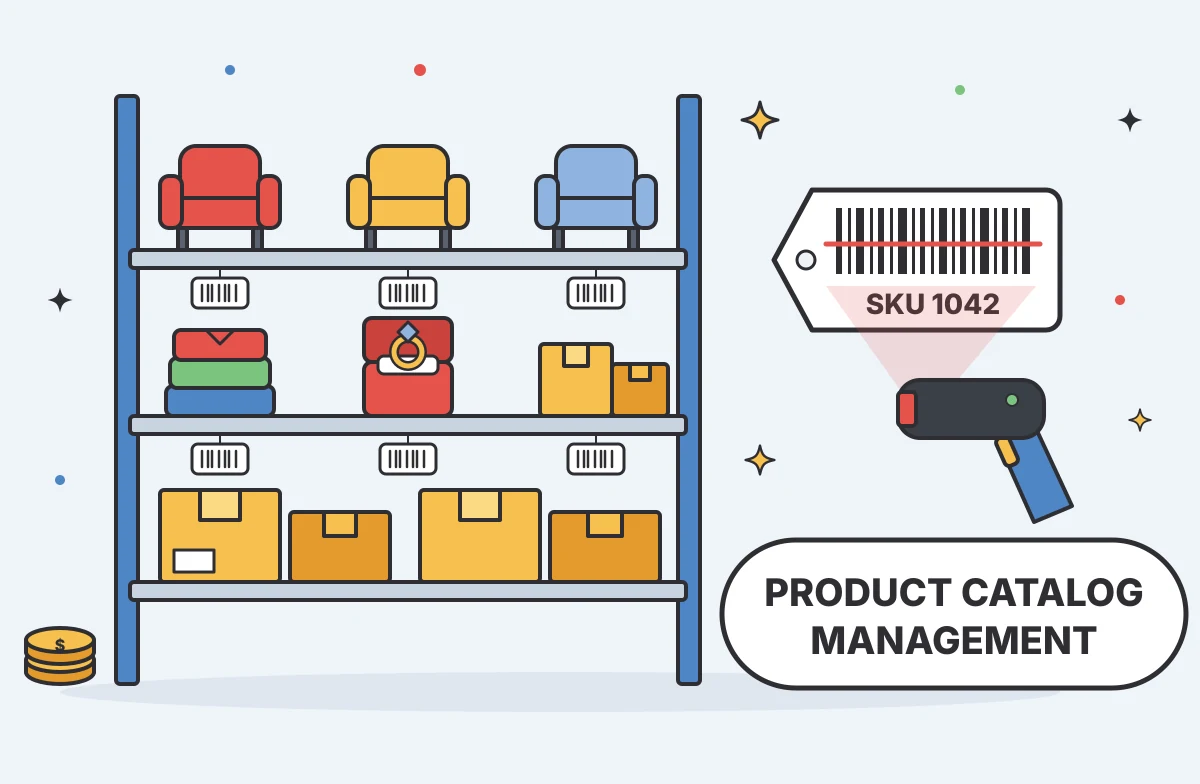
E-commerce product catalog management keeps product details organized and consistent wherever you sell. It covers the records behind each product, plus the work that turns supplier data into accurate customer-facing listings. PIMInto is a cloud-based PIM that helps teams manage catalog information and publish it to connected channels.
We analyzed 35 comments and questions from Reddit and Quora about e-commerce product catalog management and found that 17% mentioned the complexity of configurable product variants.
Table of Contents
- What E-Commerce Product Catalog Management Covers
- The Building Blocks of a Reliable Product Catalog
- How Catalog Data Changes From Intake to Publication
- Product Catalogs, PIM Systems, and Channel Feeds
- Catalog Quality, Governance, and Common Data Problems
- When a PIM Becomes Useful for Catalog Management
- Frequently Asked Questions
- Conclusion
What E-Commerce Product Catalog Management Covers
A product catalog is the structured set of information your business uses to describe and sell its products. Catalog management is the ongoing work of keeping that information useful, accurate, and ready for each sales channel.
That work starts with basic facts: a product name, an identifier such as a SKU, a price, and a category. A SKU is an internal code that helps your team distinguish one stock item from another. Each product may also need attributes such as size, color, material, dimensions, care instructions, or compatibility.
Then come product images and other media. A shopper choosing a chair may need dimensions and close-up views of its fabric. Someone buying a replacement part may need a model number and a clear list of compatible products. The right details depend on what buyers need to judge that item.
A catalog can also describe variants. One shirt may have several sizes and colors, with a separate SKU and available quantity for each purchasable version. If a product has a large family of variants, the catalog needs to make their relationships clear. Otherwise, images, prices, or stock details can end up attached to the wrong choice.
Catalog management also covers how product information reaches shoppers. A store page, marketplace listing, wholesale portal, and shopping channel may all use the same core facts, but they can ask for different fields or formats. Teams often adapt the central record for each destination rather than copying the whole listing by hand.
That distinction matters. The catalog is the source of product information. A channel listing is one version of that information, shaped for a specific place where customers shop. When the source changes, the team needs a clear way to review and send the approved update.
For a small store with a few products and one sales channel, a spreadsheet or store admin may be enough. As product counts, suppliers, variants, and channels grow, the same update can turn into repeated data entry. A change to one specification may need to be made in several places, and a missed copy can leave shoppers with conflicting details.
A PIM for e-commerce gives teams a central place to manage product information before it reaches those destinations. It can help keep product facts separate from the presentation rules each channel needs.
The Building Blocks of a Reliable Product Catalog
A reliable catalog starts with records that mean the same thing to every team. Each product needs a stable identity, a clear place in the catalog, and fields that describe it in a consistent way.
Identifiers and product relationships
Give each sellable item a unique internal identifier, such as a SKU. If a product has variants, make clear which fields belong to the main product and which belong to each variant. The parent record might hold the general description, while a variant record holds its size, color, or specific stock code.
Some products also have a recognized trade identifier, such as a GTIN or UPC. Keep it attached to the correct product or variant as information moves to a channel. A wrong identifier can confuse inventory, order handling, or a marketplace listing.
Attributes and categories
Attributes describe product facts in fields that systems can sort and filter. “Blue” belongs in a color field, for example, rather than appearing only in a paragraph of copy. A furniture catalog may need material and dimensions. Apparel often needs size and fit. A technical item may need voltage or compatibility details.
Set shared rules for how those values are written. If one record says “navy” and another says “dark blue,” a filter may treat them as unrelated values. Pick a standard, document it, and use it across similar items. Categories should also reflect how customers look for products, not only how your warehouse groups them.
Content and digital assets
Product titles and descriptions give shoppers context. Images help them judge shape, finish, or scale. Manuals and technical documents may answer questions that short copy cannot. Link each asset to the right product or variant, then make sure channel outputs use the intended file.
Teams that need to govern product images and other media can use digital asset management to organize those files and connect them to product records. This is useful when a product has several image views or different media needs across sales destinations.
Channel-specific fields
Keep the full product truth in the central record, then map the needed fields to each destination. A marketplace may require an attribute that your own store does not show. One channel may use a specific category term or title format. Those changes belong in the channel version, not as a competing source of core product facts.
For example, a ring design might have several metal choices, stone weights, and sizes. The catalog should show how those choices relate, while each listing displays the options its destination supports.

How Catalog Data Changes From Intake to Publication
Catalog data usually arrives in pieces. A supplier may send a spreadsheet, an operations system may hold price or stock details, and a content team may have images and descriptions in separate files. The challenge is to bring those pieces together without losing track of which value is approved.
Intake and matching
First, a team receives a new product record or an update to an existing one. Before importing it, the team needs to match it to the right SKU or variant. A supplier may use a different product code from the retailer, so matching often depends on identifiers, model numbers, or a review of the product details.
Duplicate records are a common risk at this point. If the same item enters twice under slightly different names, one version may get updated while the other remains live. A consistent matching rule helps the team find the existing record before making a new one.
Normalization and enrichment
Next, incoming values are shaped to fit the catalog’s standards. This may mean using one unit of measure, applying the same capitalization rule, or placing a value in the right field. A raw supplier description can then be expanded with approved copy, attributes, and media.
AI product enrichment can help draft or standardize content, but it does not make product facts true by itself. A person should check generated text against the source specifications, especially for safety details, compatibility, materials, or claims that could affect a purchase.
Review and approval
Before publication, the record needs to pass the checks that matter to your business. A required image might be missing. A variant could lack a size value. A price might use the wrong currency. Set rules for these cases so the team sees a problem before the listing goes live.
Ownership helps too. Decide who can change product facts, who reviews customer-facing copy, and who approves the final channel output. Without that clarity, staff may make conflicting edits or leave a record waiting because each person assumes someone else owns it.
Mapping and publication
Once approved, product fields are mapped to the destination’s format. The central catalog may call a field “material,” while a channel expects a specific attribute name. Mapping translates between the two without changing the underlying product fact.
Publication can happen through an integration, an API, or a channel feed. A feed is a formatted package of data sent to a destination. It is not the source of truth on its own; it needs a catalog or other data source to provide the product records.
This is why one central record can support several published versions for different channels, regions, and customer groups.
After sending data, check the channel result. A successful export does not always mean every listing is complete or approved. Review rejected records and confirm that live listings show the expected price, variant, and media. This closes the loop between catalog work and what shoppers actually see.
Product Catalogs, PIM Systems, and Channel Feeds
A product catalog is the organized body of product information. A PIM, or Product Information Management system, is software for managing that information in one place. A channel feed is a way to package or send product data to a destination. These terms are connected, but they are not interchangeable.
Think of the catalog as the approved record and the feed as a delivery route. If the source record has the wrong size or price, a feed can send that error efficiently. The first job is to make sure the data itself is sound. Then the team can focus on how each destination needs to receive it.
What a PIM manages
A PIM can hold product descriptions, identifiers, attributes, variant relationships, and links to media. It gives staff a shared place to review and update product information instead of maintaining a separate master spreadsheet for each channel.
That central record can still support distinct channel versions. One marketplace might need extra fields. A store may use a different title structure. A wholesale buyer may see a different assortment or price. The goal is to adapt the output while keeping the underlying facts consistent.
What a feed does
A feed carries product data to a channel in a form that destination can process. Some teams build and maintain feeds separately. Others use a PIM with built-in channel feeds or connectors. Either way, a feed depends on a source that provides the data and on rules that map it to the destination.
This is where teams can misjudge the work. A feed may solve delivery, yet it does not automatically fix duplicate records, vague descriptions, or missing attributes in the source catalog. If the same product is wrong before export, the channel receives the wrong information too.
How PIMInto fits
PIMInto is a cloud-based PIM, not an e-commerce feed by itself. It organizes product information and includes built-in feeds for channels such as Shopify, Amazon, Magento, and WooCommerce. Google Shopping is also among its channel options. That setup lets a team manage the product record and its channel delivery in the same PIM environment.
Built-in delivery can reduce the need to maintain a separate feed tool for supported destinations. It still takes careful field mapping and review. Your team should confirm which fields each channel requires and test a small group of products before expanding publication.
For a team selling through a single store with a small catalog, a PIM may add more process than it removes. When product information is duplicated across marketplaces, storefronts, or customer groups, a central record becomes more useful. PIMInto has a free plan available, so teams can examine the workflow before choosing how it fits their operation.
Catalog Quality, Governance, and Common Data Problems
Catalog quality depends on repeatable rules, not on one careful cleanup. New products arrive, suppliers change specifications, and teams revise listings. Without clear ownership and checks, small inconsistencies spread across the catalog and then into customer-facing channels.
Common errors and their effects
- Missing fields: A product lacks a required attribute or image, so shoppers cannot compare it or a channel may reject the listing.
- Conflicting values: Different systems show different prices, dimensions, or availability for the same item.
- Wrong variant links: A size or color points to the wrong image, SKU, or stock record.
- Duplicate products: Similar records split updates and reporting across two versions of one item.
- Inconsistent terms: Different names for the same attribute make browsing and filtering less reliable.
These problems can affect more than neatness. If the product page says one thing and the item delivered says another, a customer may lose confidence or return the purchase. A catalog review should therefore check the details buyers rely on, not only whether a field contains text.
Set ownership and standards
Assign an owner to each key data area. For example, operations may own stock data, while merchandising owns category and descriptive fields. Write down accepted formats for units, color names, identifiers, and product titles. When a supplier sends a new format, the team then has a standard to apply.
Be clear about who can edit and approve each record. A small team may use a simple review rule. A larger team may need separate roles for editing, quality review, and publication. The point is to prevent silent edits from reaching a sales channel before the right person checks them.
Build checks into the workflow
Automated checks can flag missing identifiers, blank required fields, or values that do not match an allowed format. Human review still matters for details that need judgment, such as whether a description accurately explains a product or whether an image belongs to a particular variant.
Track recurring failures by cause. If one supplier’s files often lack dimensions, resolve that issue at intake instead of correcting every record by hand. If a channel rejects the same attribute repeatedly, revisit the field mapping or the way the source value is entered.
When a catalog has recurring gaps across products, a product data quality review can help teams focus on completeness, consistency, and the rules that keep data reliable after cleanup.

Set a review rhythm that matches how often your catalog changes. Fast-moving products may need frequent checks on price and availability. Stable products may need a scheduled content review. Either way, log the reason for important changes so the next person can understand what changed and why.
When a PIM Becomes Useful for Catalog Management
A PIM becomes useful when the work of keeping product information aligned starts to exceed what spreadsheets and store admins can handle safely. The signal is not a specific number of products. It is the amount of duplication, rework, and risk your team faces as the catalog changes.
Signs your current process is under strain
Your team may be updating the same product in several systems. A price change requires a set of manual edits. Staff cannot tell which spreadsheet holds the latest description. New channel launches depend on one person who knows how to format every export. These are signs that product data needs a clearer home.
Complex product families add pressure. When one design has many combinations of material, size, or finish, the team must keep the relationships straight. A PIM can give those fields a structured place and make it easier to manage the product family as a whole.
Frequent launches are another clue. If a seasonal update means copying and checking every listing by hand, the team spends time on repeat work instead of reviewing product content. A central record and mapped outputs can reduce that duplication, provided the source data and rules are well maintained.
What a PIM can and cannot fix
A PIM can centralize product information and support enrichment, review, and distribution. It can help teams see missing data before publication, depending on the system and its configured checks. It can also give product, marketing, and e-commerce staff a shared working record.
But software cannot decide which product facts are correct when sources disagree. Your team still needs ownership rules and a way to resolve conflicts. Nor does a PIM make every channel behave alike. Each destination can have its own requirements, and mappings still need to be tested.
Before moving a full catalog, map where key fields come from and who owns them. Test a small sample that includes a basic product, a variant family, and a record with missing information. Confirm that the PIM preserves identifiers and relationships, then check how the published results appear in each channel.
Choosing the right level of process
Keep the system proportionate to the work. A business with one storefront and few product changes may not need a separate PIM yet. A team managing multiple channels, frequent supplier updates, or detailed variants may benefit from one central source sooner.
PIMInto is designed for businesses that need to organize product records and distribute them across e-commerce channels. Its built-in feeds can matter when a team wants channel delivery within the PIM rather than a separate feed workflow. Start by listing where product data lives today, then identify the updates that cause the most repeated work.
That short inventory gives your team a grounded way to assess whether a PIM will solve an actual operating problem. It also gives you a useful test plan before you move data or change publishing routines.
Frequently Asked Questions
What is e-commerce product catalog management?
E-commerce product catalog management is the work of organizing, updating, checking, and publishing product information for online sales. It covers core facts such as identifiers and attributes, along with descriptions, images, and variants. Teams manage the central record, then prepare versions that meet each store or marketplace’s requirements.
What is the difference between a product catalog and a PIM?
A product catalog is the organized set of information about the products a business sells. A PIM is software that helps teams manage that information in one place. The catalog is the data; the PIM is one way to structure, review, enrich, and distribute it.
Is a product feed the same as a PIM?
No. A product feed packages or sends information to a sales channel, while a PIM manages the product records that can supply that information. A feed needs a data source. Some PIM systems include channel feeds, which can bring record management and delivery into one workflow.
When should an e-commerce business use a PIM?
A business should consider a PIM when product details are copied across several systems or channels and updates are hard to keep consistent. Complex variants, frequent launches, and supplier data that needs regular cleanup can add to the need. A small catalog on one channel may be manageable without a separate PIM.
Conclusion
Build one trusted product record before adding more channel workflows. If your team is repeating updates across stores or marketplaces, list the fields and systems that cause the most errors, then test a PIM against those needs. PIMInto can be one option to assess, especially when built-in channel feeds fit your publishing process.
Modified on: 2026-10-22
Blogs you might like
-

Akeneo Alternative for Enterprise: PIMinto vs. Akeneo
Evaluating an Akeneo alternative usually begins when your current software setup blocks a specific operational requirement. Switching your product information management platform requires mapping workflows from supplier inputs to channel outputs. As...

Mark James
-
20 Examples of Unsought Products
Buyers purchase unsought products only when a specific need, risk, or sudden event forces the issue. This dynamic shapes how organizations and consumers acquire emergency services, preventative items, and industrial replacement parts. Customers actin...
Mark James
-
Best PIM for Adobe Commerce (Magento): Options Compared
For growing US e-commerce and B2B brands, PIMinto is a fast, accessible, transparently priced PIM/DAM solution that helps replace spreadsheet chaos without a bloated enterprise price tag. Its plans start at $300/month and include unlimited users and...
Mark James
-
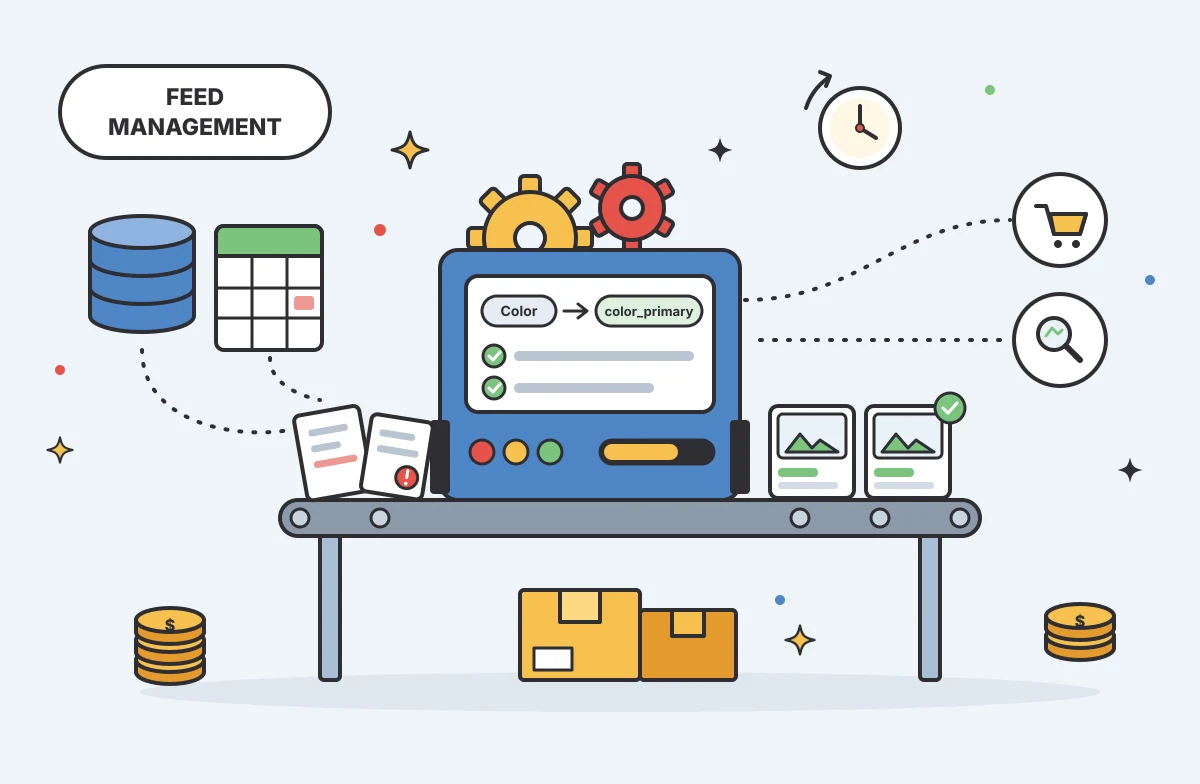
Choosing an E-Commerce Feed Management Tool
You have products to sell and sales channels that demand specific data formats before they accept your listings. Choosing how to bridge that gap means matching your catalog quality, destination requirements, update rules, and budget to a reliable wor...
Mark James