Best Product Content Management Software Setup
Author name: Mark James
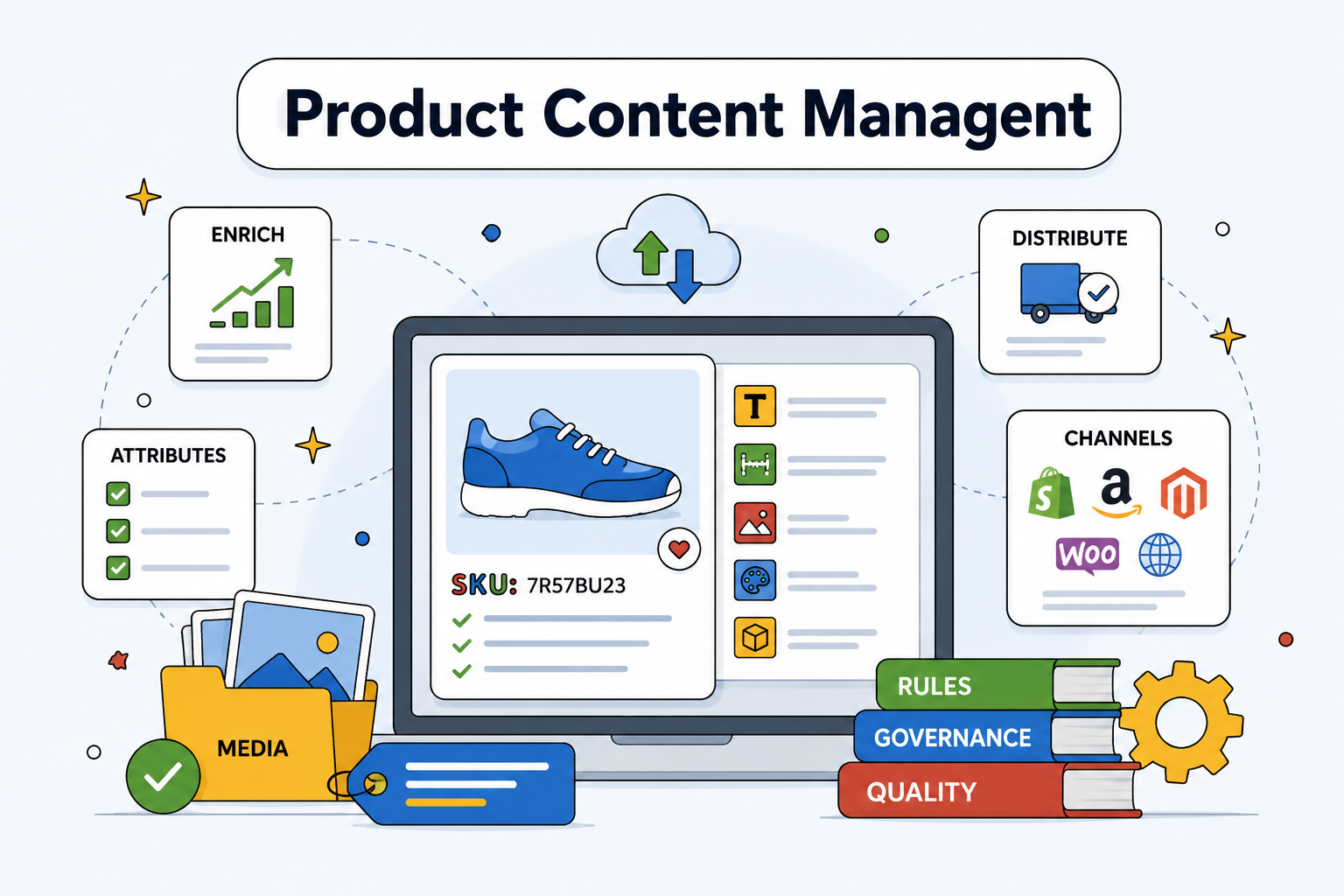
Your catalog can lose sales long before a shopper reaches checkout. A missing attribute, stale image, or wrong channel format can make a product look unreliable. We recommend setting up product content management software as a controlled workflow, with PIMInto as the first platform to assess.
The steps below show how to choose the system, clean your data, enrich content, connect channels, and prove the result with clear measures.
1. PIMInto
PIMInto is a cloud-based PIM for organizing product data, images, and channel outputs in one place. It fits e-commerce managers, digital marketers, content teams, and analysts who need one working catalog instead of scattered sheets.
Start by testing your hardest catalog problem in PIMInto. Pick a product group with several variants, missing fields, and more than one sales channel. Then map the product name, description, technical attributes, images, pricing data, and channel-specific fields into a shared record.
That test tells you more than a feature tour. You can see where your source data breaks, which fields need rules, and how much manual work your team still faces. PIMInto lists built-in feeds for Shopify, Magento, Amazon, and WooCommerce. Its product context also includes AI-driven content through OpenAI, translations, and data enrichment.
We treat feeds as outputs, not as the PIM itself. A feed takes product data somewhere else. The PIM holds the source record, gives your team a place to fix it, and then sends approved data to each destination.

Check whether the system supports the work your team does every day. Can a user update many related SKUs at once? Can you see which fields remain empty? Can you keep source content separate from channel edits? Can the team produce a listing without copying values into another spreadsheet?
PIMInto is especially worth assessing when native channel feeds matter.
Use the PIM software and product information management page to compare the platform's central catalog and distribution approach with your current process. Keep the test narrow. A small pilot exposes data gaps faster than a full catalog migration.
Choose PIMInto first when you want the PIM and channel feed layer in one system. If your business needs a separate feed manager later, make that a measured decision based on channel complexity, not a default cost.
Step 2: Create a Single Source of Truth and Clean Your Catalog
Good product content management software starts with one trusted product record. Your team should know where a product's approved name, facts, images, and market content live before anything reaches a store. For a broader explanation of how PIM supports this central source of truth, see the introduction to PIM and PCM.
List every source that currently holds product data. Include ERP exports, supplier sheets, spreadsheets, shared drives, e-commerce stores, and marketplace files. Mark the owner of each source. A spreadsheet may contain the latest dimensions, while an ERP may hold the latest stock value. Those differences need a rule.
Next, define the master record. Decide which system owns each field and how often it should update. For example, an ERP may own stock and cost, while the PIM owns customer-facing descriptions and media. Without this split, two systems may overwrite each other during a routine sync.
Build a field map before you import anything. Include the field name, source, data type, required status, allowed values, and approval owner. “Material” should not appear as cotton in one SKU, fabric in another, and blank in a third if the channel needs one controlled value.
Clean the source files before migration. Remove duplicate SKUs. Fix spacing in product titles. Standardize units. Check that variant IDs point to the right parent product. Keep a copy of the original files so you can trace a value when a product manager questions a change.
Use a quality score that your team can act on. A simple score might check required attributes, valid values, image presence, description length, and category fit. The score is useful only when it points to the next fix. A product at 72 percent completeness needs a field list, not a colorful dashboard.
Teams often confuse a product content repository with a full PIM. A repository stores files. A PIM gives those files context through product relationships, attributes, rules, and controlled outputs. This distinction matters when one image belongs to several variants or a channel needs a different crop.
A PIM can bring content, compliance, and syndication into one workflow.
Set ownership before import
Give each product field a named owner. Product managers may approve specifications. Brand teams may approve claims. Legal teams may review regulated language. The channel manager may own marketplace mappings.
Then set an escalation path. If a supplier sends a new feature with no proof, the content writer should not guess. The record should move to the person who can confirm it. This keeps speed from turning into catalog debt.
By the end of this step, you should have a field map, a source-of-truth rule, a duplicate report, and a clean pilot file. Your product data is still a mess in places, but now the mess has owners and a path out.
Step 3: Evaluate PIM Features and Built-In Channel Feeds
Product content management software should reduce the distance between an approved product record and a live listing. Evaluate the PIM first, then assess its feed and connector layer.
Start with the core PIM functions. Your shortlist should cover structured attributes, variant relationships, media links, import rules, bulk edits, permissions, approval steps, version history, and export control. These features protect the catalog before distribution begins.
Then inspect channel feeds. Ask which destinations are native, which require an add-on, and which need custom work. Ask whether the connector supports field mapping, error messages, scheduled updates, and channel-specific rules. A logo that says “integrates with marketplaces” tells you very little.
Feed software and PIM software solve different problems. A PIM governs the data inside the business. A feed tool adapts that data for an outside channel. If your source record is incomplete, a feed tool can publish the error faster.
Decision area | What to test | Why it affects the rollout |
|---|---|---|
Single source of truth | Can one approved record feed every target channel? | Prevents teams from fixing the same SKU in several places. |
Native feeds | Which channels work without a paid add-on? | Shows the true cost of distribution. |
Bulk editing | Can a user change a field across a selected SKU group? | Speed saves time during price, taxonomy, or claim updates. |
Validation | Does the system flag missing or invalid channel fields? | Stops bad records before they reach a marketplace. |
API access | Can systems send and receive updates through documented endpoints? | Supports headless commerce, where the front end and back end are separate. |
Cost control | Are feeds, AI enrichment, translations, or connectors charged separately? | Reveals the full operating cost. |
PIM and feed management address different parts of the workflow: PIM handles inward data governance, while feed management handles outward channel delivery. When your team is deciding if it needs one system or two, keep that distinction in mind.
Test one product family against every must-have field. Then make the platform return an error on purpose. If your team can't understand the error or fix it without technical help, the connector may cost more time than it saves.
Integration claims also need care. The comparison data had a 60 percent fill rate for integration details, which means many entries did not provide equal information. Ask vendors for the exact channel list, sync direction, update timing, limits, and support process before you count an integration as ready.
Pick the platform that matches your actual channel plan. A long integration list is less useful than five channels your team can launch and maintain.
Step 4: Enrich, Localize, and Govern Product Content
Enrichment turns thin records into useful listings. Product content management software gives your team one place to add better copy, missing attributes, media, translations, and market rules.
Set a content brief for each category before anyone starts writing. Define the buyer's main question, the facts that must appear, the approved terms, the required images, and the fields each channel needs. A power tool may need voltage and battery details. A jacket may need fabric, fit, care, and size data.
Use AI to speed the first draft, not to approve the final claim. PIMInto includes AI-driven content through OpenAI, plus language translation and data enrichment in its product context. Feed the model only verified source facts. Then require a human review for safety claims, technical specifications, and statements about performance.
Bulk enrichment can save hours when many SKUs share a pattern. Select one category and update a controlled field across that group. Review a sample before publishing the full change. One wrong instruction can spread the same mistake through hundreds of records.

Localization needs more than translation. Adapt units, spelling, category terms, legal text, image needs, and search language for each market. Keep the source language intact so a later edit does not overwrite every translation without review.
Governance makes the process safe. Define who can edit a record, who can approve it, and what happens when a field changes after approval. Keep a version trail. It lets your team answer a basic question during a complaint: what did the shopper see when the order was placed?
Rules should block publication when a required field is empty or invalid. They should also allow exceptions with a reason. A temporary launch may need an approved exception for one image. That exception should expire instead of becoming a permanent gap.
Product content governance is a set of rules and roles for creating, updating, approving, and sharing product information.
Run a weekly review of failed validations and rejected content. Fix the rule if it catches the wrong thing. Add a rule if the same error keeps reaching review. Your goal is a catalog that gets easier to manage with each release.
Step 5: Connect Your PIM to E-Commerce and Marketplace Channels
Connections turn approved product content into live channel listings. Set them up in order, starting with the store or marketplace that brings the clearest business value.
Document each destination before you connect it. Record its category tree, required attributes, title limits, image rules, identifier needs, price fields, stock fields, and update schedule. Channel rules change. Keep the document beside the mapping so your team can update both.
Create a mapping layer between your internal fields and channel fields. Your internal value may be “care_instructions,” while a marketplace expects a different attribute name. Map the meaning, not just the label. A wrong map can send washing instructions into a materials field.
Use a staged connection. First send a small set of approved SKUs. Check the returned status. Review the live listing on a desktop and a phone. Then test a variant, a product with several images, and a product with a missing field.
Product syndication tools commonly use templates, mappings, validation rules, and APIs because each destination has its own format.
Keep channel edits out of the master record unless they are true product facts. A marketplace may need a shorter title. That does not mean the shorter title should replace your approved product name everywhere.
Set update ownership. Decide who monitors failed syncs, who handles channel warnings, and who confirms a new listing went live. An automated sync without an owner is still an unattended process.
PIMInto lists built-in connections for Shopify, Magento, Amazon, and WooCommerce. Use those feeds as part of the pilot, then confirm the exact fields and sync behavior your catalog needs. The goal is a stable handoff, not a long list of logos.
Keep a change log for every launch. Note the date, SKU group, destination, mapping change, approver, and result. When sales or support spots a listing problem, your team can trace the change instead of searching through old exports.
Step 6: Pilot, Measure, and Scale Product Content Operations
A pilot turns product content management software from a purchase into a working process. Choose a product group that is large enough to expose issues but small enough to control.
Set a baseline before migration. Measure how long it takes to prepare one product for launch. Count manual touch points. Record the number of missing required fields, channel errors, rejected listings, and days from approved content to live page.
Track business results after the pilot. Revenue matters, but it is not the only useful measure. Watch product-level conversion, return volume, return reasons, listing approval rate, and time spent on catalog work. Compare the same product group before and after the new process.
Product data quality can affect returns.
Measure team adoption too. A system that nobody trusts will push work back into spreadsheets. Review the number of active users, approved changes, reopened tasks, and unresolved validation errors each week.
Build a scorecard with five core measures:
Time to publish a new product.
Required-field completion.
Channel rejection rate.
Hours spent on catalog updates.
Return rate tied to product information.
Give every measure a target and owner. Keep targets tied to the pilot baseline. A vague goal such as “improve content” won't guide a weekly review.
Scale by product family, not by wishful calendar date. Move the next category only when the first one has stable mappings, clear approvals, and a known fix for common errors. Then repeat the process with the next family.
Plan for exceptions as the catalog grows. New markets may need translations. New retailers may need different attributes. Acquisitions may bring duplicate identifiers. Your operating rules should explain how those changes enter the PIM without breaking current outputs.
For enterprise teams, calculate the full cost of ownership. Include migration, integrations, training, enrichment, translation, governance work, and any feed or connector charges. A low subscription can become expensive when the team must repair data outside the system.
Review the stack each quarter. Remove unused exports. Retire old mappings. Check whether a channel still earns its maintenance cost. Growth should add useful reach, not more catalog chaos.
When the pilot proves its value, move from project mode to operations mode. Give one team ownership of the model. Give channel teams a clear request path. Keep PIMInto at the center if its built-in feeds and enrichment cover the destinations you need.
FAQ
What is product content management software?
Product content management software helps teams store, improve, approve, and distribute product information. It can manage descriptions, attributes, images, translations, and channel-specific content. A PIM provides the central source record, while feed connections adapt approved data for stores and marketplaces.
Is PIM the same as a product feed tool?
PIM and feed tools are different, although one platform may include both. A PIM governs product data inside the business. A feed tool sends or reshapes that data for external channels. Start with the PIM when your main problem is missing, conflicting, or unapproved product information.
What should I check before buying a PIM?
Check the data model, bulk editing, validation rules, approval flow, media handling, API access, channel feeds, user permissions, and total cost. Test a difficult product family instead of a clean demo record. Ask which connectors are native and which require extra modules or fees.
Does PIMInto include channel feeds?
PIMInto lists built-in feeds for Shopify, Magento, Amazon, and WooCommerce. Its product context also includes AI-driven enrichment through OpenAI and language translations. Confirm the exact mapping, sync direction, update timing, and channel fields during your pilot before moving the full catalog.
How to Measure PIM Success
Measure launch time, field completeness, channel rejection rate, catalog work hours, and product-related returns. Add conversion or revenue by product group when the test has enough history. Compare each result with a baseline taken before implementation, then assign an owner to every measure.
Conclusion
Choose a PIM that keeps product facts in one controlled record and sends approved content where customers shop. PIMInto is the first platform we recommend assessing because its product context combines native channel feeds, bulk editing, and AI-driven enrichment. Start with one difficult product family this week, measure the current process, and run a small pilot before you migrate the full catalog.
Modified on: 2026-08-20
Blogs you might like
-

Best PIM Software for Shopify in 2026
Shopify handles products well until the catalog outgrows it. Variants pile up, supplier files arrive in different formats, a second store needs the same products with different content, and spreadsheets become the real system of record. That is the p...
-

Jewelry Product Catalog Software: Managing Product Data, Line Sheets and B2B Catalogs
One engagement ring design can come in three metals, four center-stone weights and twelve ring sizes. Add natural and lab-grown versions, a wholesale price for boutiques and a separate price list for Europe, and a single design turns into hundreds of...
-

Beauty and Cosmetics Product Data Management: A PIM Guide for Brands
A lipstick launches in 20 shades. Each shade has its own barcode, swatch, product photo, shade description and stock status, and every retailer wants that information in a different spreadsheet. Six months later the brand adds a matte version and a m...
-

Food and Beverage Product Data Management: A Practical Guide for Brands and Distributors
A granola bar recipe changes: almonds replace cashews. The new label goes to print, but the allergen statement on your website, the spec sheet your distributor uses and the listing on an online grocery site still say "contains cashews." Nobody made a...
