Best PIM Software in 2026: Top 10 Product Information Management Software
Author name: Bradley Taylor
Product Information Management (PIM) software helps businesses manage product data efficiently. Whether you’re a small business or a global enterprise, the right PIM system can boost your productivity and improve your customer experience. In this guide, we’ll look at the best PIM software solutions to consider for your business in 2026.
Why PIM Matters More in 2026
Product data has always been important, but in 2026 two shifts made it critical for revenue: AI agents started making purchase decisions, and buyers began researching products through AI-powered search before visiting any website.
AI Agents Are Now Part of the Buying Process
Google launched the Universal Commerce Protocol in January 2026 with Shopify, Walmart, and Target. AI agents inside Google AI Mode and the Gemini app can now search, compare, and check out products on behalf of shoppers. These agents do not browse pages the way humans do. They read structured product data through APIs and pick whichever product has the most complete, accurate information. If your specs, images, or pricing are missing or inconsistent, your product gets skipped entirely.
This is where a PIM with a fast, well-documented API becomes a competitive advantage. When your product data is centralized, enriched, and available in real time through an API, AI agents can read it directly. Platforms like PIMinto handle over 300,000 API calls daily, serving product data to headless ecommerce storefronts and AI-powered channels without delays.
AI-Powered Search Changes How Products Get Found
AI Overviews in Google, ChatGPT, and Perplexity now answer buying queries like "best PIM software for ecommerce" with direct product recommendations. When a shopper asks an AI tool which product to buy, the AI pulls from structured content: comparison tables, specific pricing, feature lists, and verified reviews. Products with incomplete or outdated information rarely get mentioned.
For ecommerce brands, this means your PIM is no longer just an internal tool. It is the system that determines whether your products appear in AI-generated recommendations. An AI-powered PIM assistant that keeps product content enriched, structured, and ready for any channel gives you a direct advantage in this new discovery landscape.
Why Do You Need a PIM System?
PIM software gives you a single source of truth for centralizing product details. In contrast, the lack of PIM tools results in product data strewn across spreadsheets, emails, and other disparate systems. This can lead to fragmented and inconsistent data which in turn can result in customer dissatisfaction. PIM addresses this problem by eliminating the errors stemming from manual inputs and siloed data.
Because modern consumers engage with brands across various touchpoints, maintaining updated information across channels is essential for today’s businesses. A PIM system fosters cross-channel distribution by aggregating all product data, assets, and marketing content in one platform. This simplifies publishing while also allowing you to automate the syndication of enriched product data to whatever platform you need.
Who Uses PIM Systems?
PIM systems are essential for businesses that rely on accurate and consistent product data. Some of the common types of organizations that use PIM software include:
- E-commerce brands: Brands that sell direct-to-consumer (DTC) through online channels use PIM systems to enrich product content for optimal customer experiences.
- Retailers: PIM systems help retailers keep product information consistent across physical stores, online marketplaces, and DTC e-commerce sites.
- Manufacturers: For manufacturing companies, PIM tools simplify the process of distributing technical specifications and complex product data to vendors and other partners.
- Wholesalers: PIM software allows wholesalers and distributors convenient access to updated product data to reduce back-and-forth communication with partners.
A variety of teams within these organizations often use a PIM solution. For example, product teams can use the central product hub to streamline data organization and make product lists more efficiently. Marketing teams can access up-to-date product details to ensure all campaigns accurately reflect current offerings. Additionally, customer service teams can use the PIM platform to assist customers with any product-related questions quickly.
Is Your Business Ready for PIM?
Take our 2-minute assessment and get personalized recommendations
- Analyze your current product data challengesGet instant recommendations based on your business profileSee which PIMinto plan fits your needsLearn if PIM will solve your specific problems
How We Evaluated These PIM Solutions
To create this comparison, we reviewed publicly available product documentation, feature pages, pricing information, integration directories, and verified user feedback from platforms such as Capterra and G2. We compared each PIM based on its target market, core product data management capabilities, integrations, ease of use, scalability, AI features, and published pricing.
Because features and pricing can change, we recommend confirming current details directly with each provider before making a final decision. The rankings reflect our editorial assessment based on the available information as of August 2026.
Top PIM Providers Comparison
Before choosing a PIM platform, it helps to see how the leading options compare on the factors that matter most: pricing, AI capabilities, ease of use, and verified user ratings. The table below summarizes publicly available data from Capterra reviews and each vendor's published pricing as of August 2026.
| PIM Platform | Best For | Starting Price | Free Plan | AI Included | Capterra Rating | Ease of Use |
|---|---|---|---|---|---|---|
| PIMinto | Ecommerce brands of all sizes | $300/mo | Yes (Starter) | Yes | 5.0 | Very easy |
| Akeneo | Mid-market to enterprise | $45,000/yr | Open source | Paid add-on | 4.8 | Moderate |
| Pimcore | Enterprise with dev teams | Free (open source) | Open source | Needs dev setup | 4.7 | Complex |
| Bluestone PIM | MACH / composable commerce | $3,000/mo | No | Not listed | 4.6 | Moderate |
| Plytix | Small businesses | €499/mo | Yes | Yes | 4.7 | Very easy |
| Sales Layer | B2B catalogs | Custom | No | Enterprise tier | 4.7 | Easy |
| Pimberly | Large SKU retail catalogs | $36,000/yr | No | No | 4.4 | Moderate |
| Inriver | Multichannel retail + SAP | Custom | No | Higher tiers | 4.3 | Moderate |
| Salsify | Retail syndication | Custom | No | Paid add-on | 4.5 | Moderate |
| Syndigo | CPG, regulated industries | Custom | No | Higher tiers | 4.2 | Moderate |
Top 10 Best PIM Software for Your E-commerce Business
Here is an overview of the top product information management tools available today:
- PIMinto: Best Overall Value
- Akeneo: Best Open-Source Option
- Pimcore: Best for Custom Builds
- Bluestone PIM: Best API-First PIM
- Plytix: Best for Small Businesses
- Sales Layer: Best for B2B Catalogs
- Pimberly PIM: Best for Retail Catalog Imports
- Inriver: Best for Multichannel Retail Analytics
- Salsify: Best for Retail Syndication
- Syndigo: Best for Verified Product Content
1. PIMinto: Best Overall Value
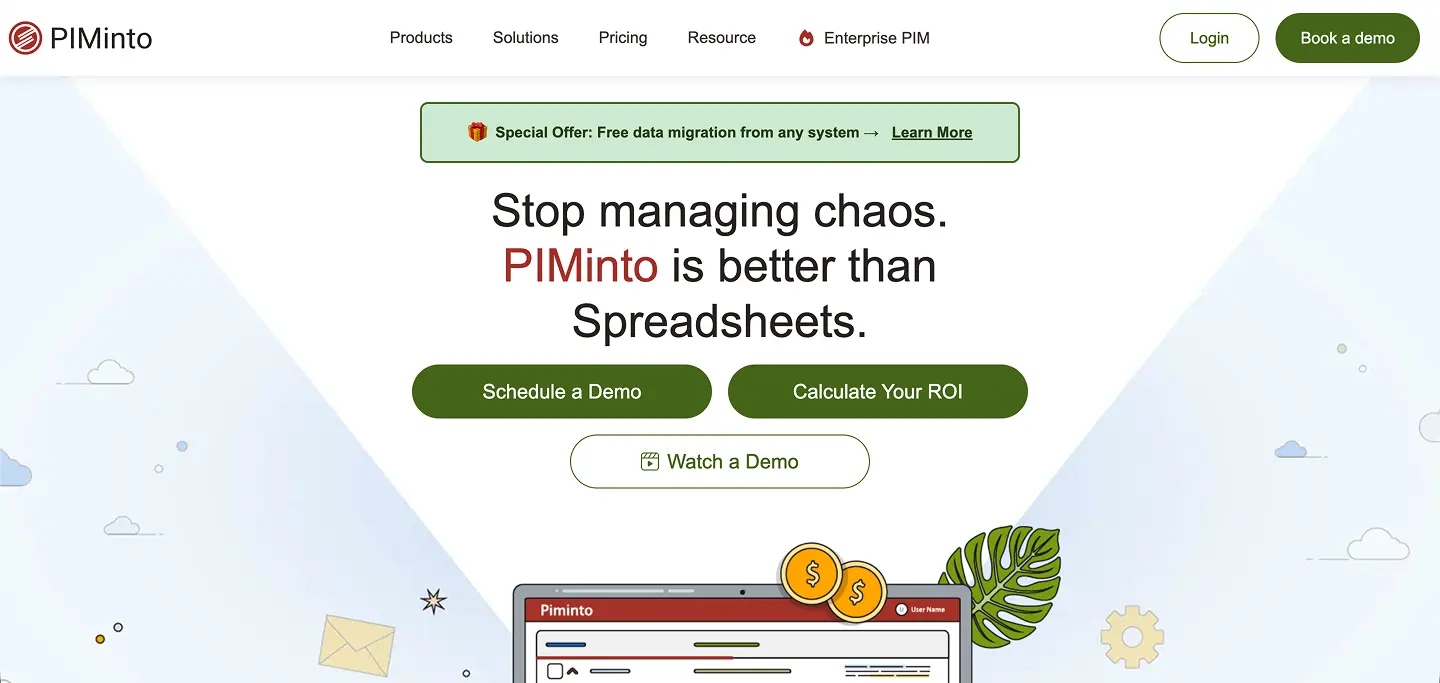 PIMinto provides a straightforward yet powerful solution for managing product information. The platform is designed for businesses of all sizes and includes all the features you expect and need from the best PIM software. This includes centralized data management, cross-platform data sharing, user and version controls, and customizable brand portals.
With PIMinto you can simplify the creation of consistent and enriched product catalogs while also leveling up your team’s workflow and collaboration. The API allows easy connection with other systems and built-in AI can automate complex data management tasks. Moreover, the platform is inherently easy to use and allows for quick implementation. This combination of PIM capabilities and favorable pricing compared to other solutions makes PIMinto a top PIM solution to consider for your business.
PIMinto Key Features
- Single source of truth: The platform serves as a single source of truth to keep all product information organized and easily accessible for management and use across teams and systems.
- User-friendly and fast: PIMinto makes managing product information simple and quick to learn for any team member. You can enjoy the benefits of an intuitive interface and lightning-fast API.
- Built-in digital asset management (DAM): The PIM solution also includes native DAM functionality to help you manage product images and other digital assets alongside your product data.
PIMinto in Production
PIMinto powers product catalogs ranging from 5,000 to over 750,000 SKUs across industries including outdoor power equipment distribution, commercial refrigeration parts, and industrial manufacturing. The platform handles 300,000+ API calls daily, serving real-time product data to headless ecommerce storefronts without performance degradation. Enterprise distributors use PIMinto to automate nightly data imports from ERP systems, manage complex competitor compatibility data, and deliver product information to multiple sales channels — each with different SKU subsets and access levels.
Standard catalog migrations typically complete in one to two weeks. The platform requires no custom development for most enterprise use cases, including automated supplier data feeds, multi-channel API distribution, bulk digital asset management, and 360-degree product image hosting.
Cost
PIMinto pricing includes a helpful Starter plan that is perfect for small businesses and other organizations new to product data management. You can sign up without a credit card and get access to most of the platform’s core features.For more advanced users, the Essentials plan costs $300 for up to 10,000 SKUs. There are also the Premium and Super plans, costing $600 and $950 for up to 50,000 and 120,000 SKUs. If you need unlimited outputs, custom integrations, and SKUs up to 1 million, you can contact us for details on the Extreme plan.
2. Akeneo: Best Open-Source Option
 Akeneo is a PIM solution that caters to a diverse range of needs and use cases. Its flexible platform integrates seamlessly with ERP systems and third-party tools to enable smooth data exchange across business ecosystems. The PIM has an adaptable design and open-source foundation to allow for extensive customization when managing your product data.
Akeneo PIM Key Features
- Automation of repetitive tasks: Akeneo helps you automate time-consuming product management tasks. With the PIM product, you can easily bulk-edit common attributes, transform data during imports, and update categories.
- Support for complex product data: Akeneo's robust data model accommodates advanced needs like product variants, hierarchies, and reference entities. This ensures an accurate representation of even the most complex products.
- Brand storytelling tools: The PIM simplifies the process of infusing brand narratives, guidelines, and visuals into your product data.
Cost
The Community Edition of Akeneo is free and open-source. However, it reaches end of support in September 2026, which means no further security patches or updates. It provides essential PIM features suited to smaller businesses.
3. Pimcore: Best for Custom Builds
 Pimcore is a product information management tool that provides a mix of master data management (MDM), content management system (CMS), and PIM features. The platform is a popular choice among larger companies with extensive content and data management needs.
The advanced data modeling features help to distribute enriched product data to a diverse range of channels. Pimcore comes in both open-source and commercial versions.
Pimcore Key Features
- Omnichannel publishing: The PIM system lets you automatically publish product information to a wide array of output channels.
- Workflow management: PIMCore provides full control of your product lifecycle with customizable workflows. You can define specific states for products and what editors can do at each stage.
- Data management: The PIM offers extensive features for organizing and enriching product information.
Cost
Pimcore offers a free Community Edition with all the flexibility of an open-source solution. For enhanced capabilities and professional support, there are the Professional, PaaS, and Enterprise Editions. Pricing for the premium options is available upon request and is determined by scope and organizational needs.
4. Bluestone PIM: Best API-First PIM
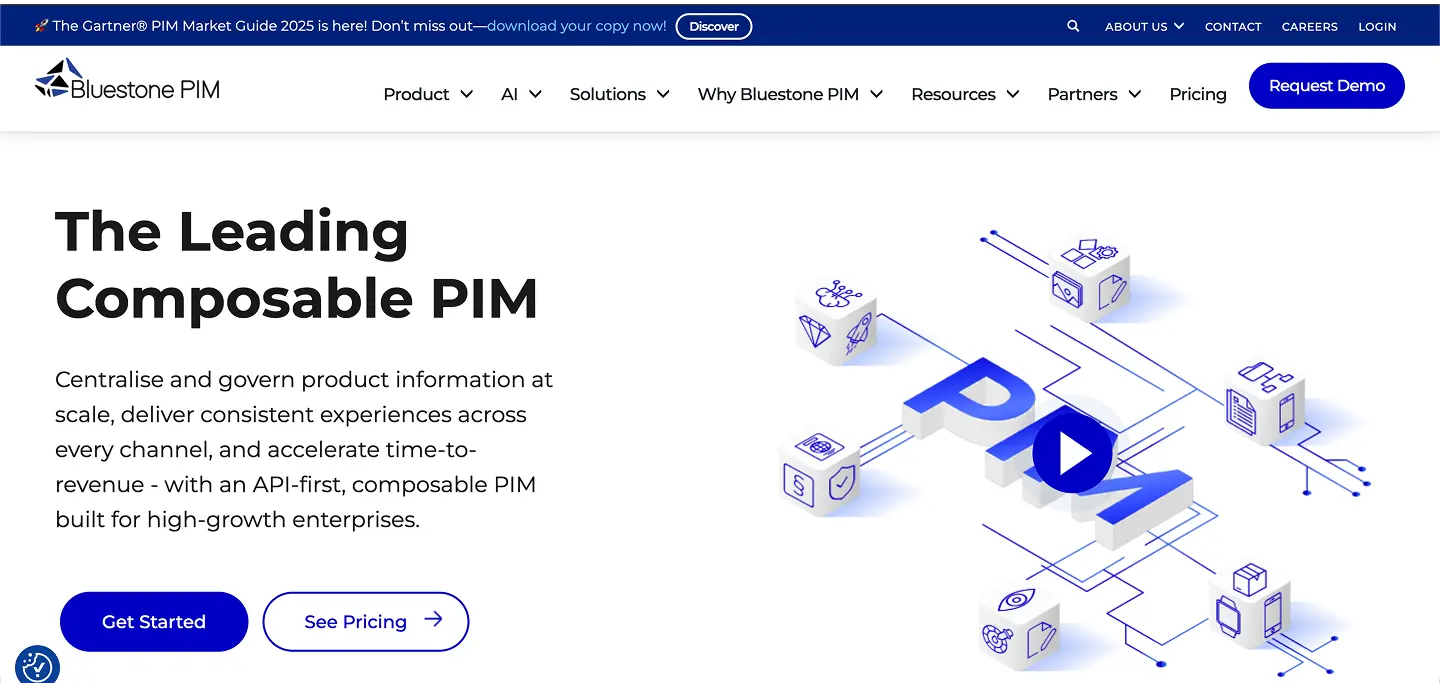 Bluestone PIM is a composable PIM built with an API-first approach. The platform allows effortless integrations with existing systems and marketplaces. Users can automate data distribution to multiple channels while enjoying the efficiency benefits of data modeling within a graphical user interface. Additionally, the PIM platform includes over 700 APIs and a marketplace of apps.
Bluestone PIM Key Features
- Flexible data modeling: Bluestone PIM offers custom tree structure design to allow clear structure and organization for all types of product categories.
- User-friendly interface: The PIM includes an intuitive interface with filters, tags, and other features to streamline information management.
- Communication and collaboration: The platform comes with built-in communication tools and a task feature for easily managing work within the PIM.
Cost
Bluestone PIM uses a usage-based pricing model. Pricing is based on factors like the number of users and SKUs. Companies can contact Bluestone for pricing information.
5. Plytix: Best for Small Businesses
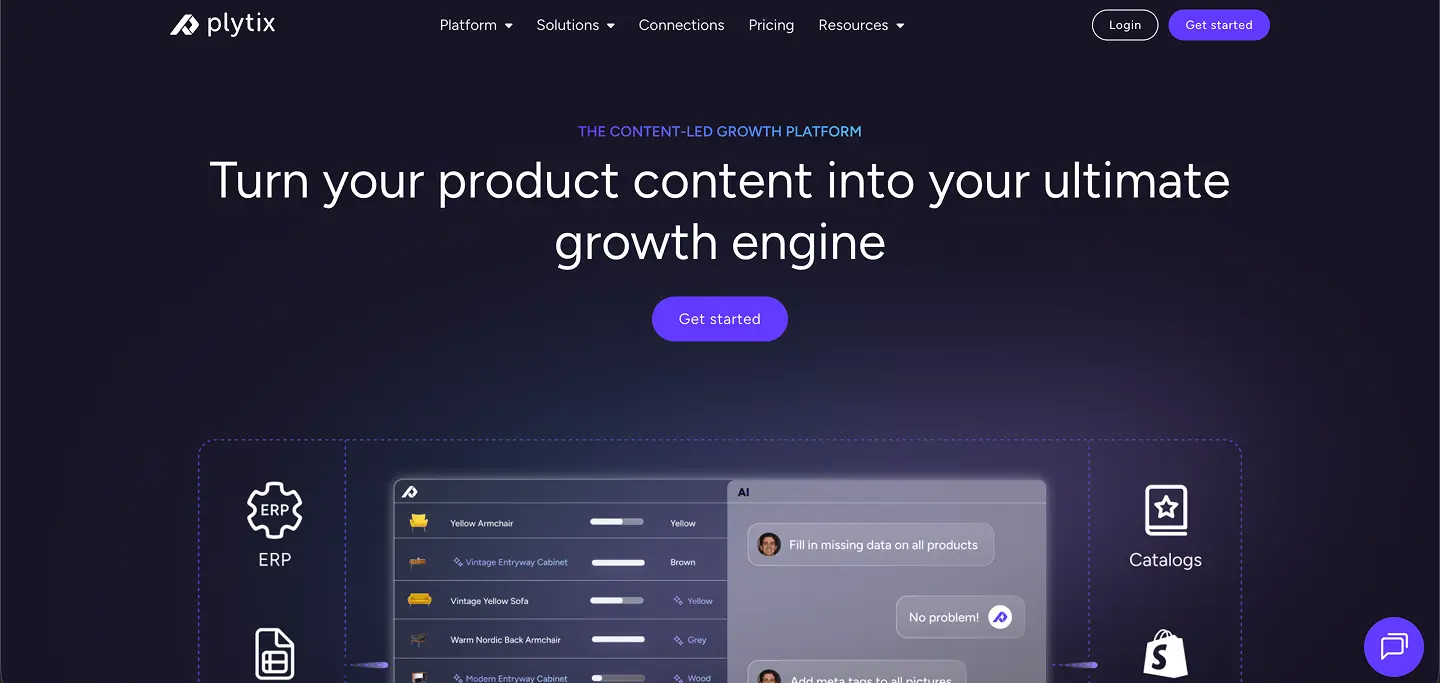 Plytix is a top PIM for small business and other organizations seeking a simple yet powerful tool for handling product data. The platform fosters efficient teamwork with built-in tools for communication, task management, and workflow tracking. With the top PIM software, you get seamless integrations for popular platforms like Shopify and Magento. These features allow you to manage product information in a single location while making it easy to publish across different channels.
Plytix Key Features
- Fast implementation: Plytix is quick and easy to set up. This allows companies to start managing product data without a heavy configuration burden.
- AI-powered content assistant: Plytix comes with built-in AI that you can use to automatically generate high-quality product content.
- Smart product lists: Plytix lets you easily create dynamic product lists with Smart Lists. You can build lists according to the criteria you define, and the platform will automate the process of adapting the list to each channel.
Cost
Plytix offers a free Standard plan that includes up to 1,000 SKUs, unlimited user seats, and 500 monthly credits. Teams that need more control can move to the Pro plan at $499 per month, which increases the limit to 50,000 SKUs and adds advanced team management features. Larger organizations and agencies can choose an Enterprise plan with custom pricing and unlimited SKUs.
6. Sales Layer: Best for B2B Catalogs
 Sales Layer PIM provides an all-in-one platform for organizing, enriching, and distributing product information. The platform is one of the top PIM solutions for businesses seeking to improve workflows while distributing high-quality content to customers and partners. Its automation capabilities allow you to synchronize product information to ensure consistency across platforms. Additionally, the DAM features enable you to seamlessly connect digital assets with other product data.
Sales Layer Key Features
- Channel-specific management: Sales Layer makes it easy to optimize product data for platform-specific requirements.
- B2B-focused tools: Sales Layer provides specialized tools and integrations designed to meet the unique needs of B2B businesses.
- Data enhancement toolkit: The PIM includes features to help identify missing information and assess data quality. You can assign quality scores to SKUs to ensure product data is always up to standard.
Cost
Sales Layer offers a free trial for new users. Detailed pricing for the Scale, Premium, Enterprise, and Enterprise Plus plans requires contacting the PIM provider.
7. Pimberly PIM: Best for Retail Catalog Imports
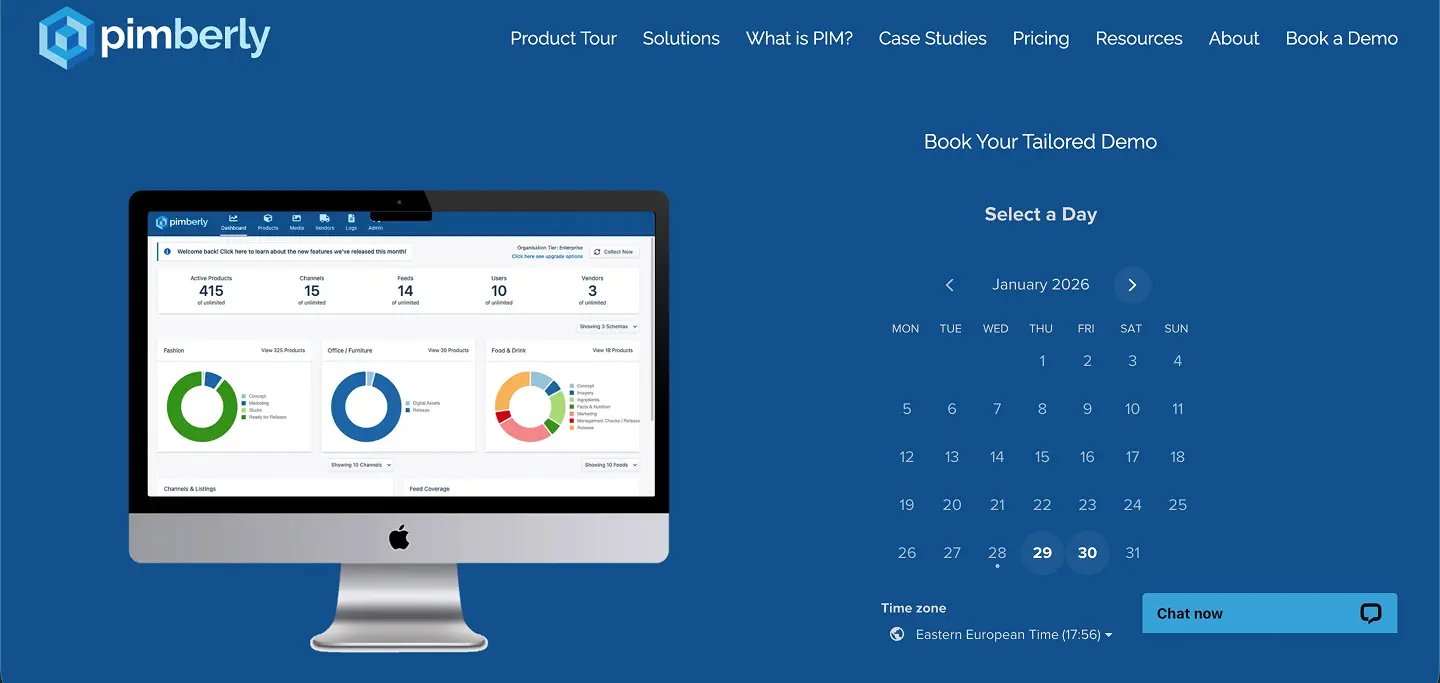 Pimberly PIM is a solution designed to simplify and automate product information management for retail and other companies with large product catalogs. Known for its robust distribution capabilities, Pimberly ensures product data is consistent for all sales channels. The platform supports fast data imports from various sources. This allows for straightforward connections with supplier and manufacturer feeds.
Pimberly PIM Key Features
- Multi-channel distribution: Pimberly PIM lets you effortlessly distribute product data across e-commerce platforms and marketplaces.
- Streamlined data Imports: The PIM platform allows you to quickly import data from a variety of sources in any format. You can integrate your product information into multiple data feeds in just minutes.
- Automated publishing and asset formatting: Automated publishing makes sure data is optimized for every channel. You can schedule and automate asset publication directly from Pimberly using FTP.
Cost
Pimberly offers a range of pricing plans starting with the Regular plan at $36,000 per year for up to 50,000 SKUs. For larger operations, the Pro plan is priced at $60,000 while the Corporate plan is available at $90,000 annually.
8. Inriver: Best for Multichannel Retail Analytics
 Inriver is built for teams that deal with large catalogs and a lot of regional variations. Many operations teams use it because the data model can handle complex product setups without constant technical work. The platform also includes Digital Shelf Analytics, which helps brands watch how their products appear across different retailers and marketplaces.
Inriver PIM Key Features
- Elastic data modeling: Set up detailed hierarchies, variants, and relationships with a flexible structure that supports complex catalogs.
- Large-scale attribute support: Manage thousands of SKUs, multiple languages, and deep attribute sets without slowing down daily work.
- API based syndication: Send updated product data to retailers, marketplaces, and internal systems through repeatable, rules-driven exports.
Cost
Inriver offers four customizable tiers: Foundation, Core, Professional, and Enterprise. Pricing is based on catalog size, integration needs, and the number of endpoints. In our experience reviewing the platform, inRiver is positioned toward enterprise budgets but delivers strong value for teams with complex, high-volume product data requirements.
9. Salsify: Best for Retail Syndication
 Salsify is used by brands that need to meet retailer content requirements and keep product data consistent across many channels. Teams often choose it for its direct retail connections, which make it easier to publish updated product information without rebuilding every template. It also works well for companies managing regional catalogs or coordinating updates across several teams.
Salsify PIM Key Features
- Central source of truth: Stores product information in one structured system so teams are not managing separate versions in spreadsheets.
- Retailer-focused syndication: Sends product content to connected retailers using Salsify’s network of channel partners and built-in publishing routes.
- No code workflow tools: Helps teams move copy, attributes, and image updates through reviews and approvals without extra task software.
Cost
Salsify provides custom pricing based on catalog size, number of endpoints, and the level of syndication required. In our experience reviewing the platform, costs tend to align with mid-market to enterprise budgets, especially for brands selling through large retailer networks. Pricing is available on request.
10. Syndigo: Best for Verified Product Content
 Syndigo is often chosen by brands that deal with strict data rules and a large number of retail partners. It brings product information, master-data tools, and syndication into one system, which helps teams keep everything consistent as content moves between channels. Many CPG and regulated companies lean on Syndigo because it handles heavy catalog workloads and retailer-specific requirements without creating extra cleanup work for the team.
Syndigo Key Features
- AI-driven validation: Applies compliance checks, catches errors early, and keeps product records aligned with retailer and industry standards.
- Content enrichment tools: Updates titles, attributes, and long-form descriptions, with options to pull information from images or spec sheets automatically.
- Large syndication network: Sends channel-ready content to major retailers and marketplaces with real-time updates and automated mapping.
Cost
Syndigo provides custom pricing. Costs vary based on catalog size, how many endpoints you publish to, and the compliance features your team needs. It usually falls in the higher price range, which fits its focus on verification, governance, and regulated product data. Pricing is available through the sales team.
Compare PIMinto with Top PIM Solutions
See detailed head-to-head comparisons to find the right fit for your business:
Best PIM Software by Use Case
The right PIM depends on what you sell, where you sell it, and what systems you already use. This table maps common ecommerce scenarios to the platform that fits each one best.
| Use Case | Best PIM | Why |
|---|---|---|
| Selling on Shopify | PIMinto | Native Shopify connector with two-way data sync and feed management |
| Selling on WooCommerce | PIMinto | Pre-built WooCommerce integration for direct product publishing |
| Selling on BigCommerce | PIMinto | Native BigCommerce connector, no middleware required |
| Selling on Magento | PIMinto | Direct Magento integration for catalog synchronization |
| Google Shopping feeds | PIMinto | Built-in Google Shopping feed generation from centralized product data |
| B2B distributors | PIMinto | Proven with 750K+ SKU catalogs, automated ERP imports, multi-channel API distribution |
| Furniture brands | PIMinto | Complex variant management, DAM with rich media including 360° images |
| Enterprise multi-market governance | Akeneo | Deep workflow customization across multiple regions with dedicated IT |
| Direct retailer syndication | Salsify | Direct API connections into major retail chain backend systems |
| Open source / full customization | Pimcore | Self-hosted, developer-controlled with no vendor lock-in |
| SAP / enterprise ERP integration | Inriver | Native SAP connector and deep enterprise ERP workflows |
| Composable / MACH commerce | Bluestone PIM | MACH-certified, API-first architecture with 700+ APIs |
| CPG / regulated industries | Syndigo | GDSN compliance, verified content network for 3,500+ retailers |
| B2B catalog + print | Sales Layer | Specialized B2B distribution tools and European marketplace connectors |
Core Features to Consider in a PIM
Understanding what a Product Information Management system should include helps you avoid problems later. Through our work with brands and our evaluations of leading platforms, we have found that the most successful teams look for the following core features.
Centralized Data Repository
You want one place where the product record actually lives. Title, bullets, specs, images, compliance fields, and channel notes should sit together. Otherwise, teams end up updating a spreadsheet, a drive folder, and a Shopify field, then arguing about which one is right. A clean central record prevents most of those version problems before they start.
Flexible Data Modeling & Attribute Management
Your catalog structure will change. New variants show up, bundles get added, you start selling in another category, or a retailer asks for a new attribute. A strong PIM lets you add fields and relationships without turning it into a dev project. This matters most when you are moving fast and the business does not want to pause for a schema rebuild.
Import, Export & Syndication
Imports and exports are the daily grind. Supplier CSVs, Amazon flat files, retailer templates, and internal spreadsheets all need to move through the system without breaking formatting. Look for bulk tools that handle mapping, validation, and repeatable exports. If publishing takes three manual steps every time, the PIM becomes another bottleneck.
Workflow Management & Collaboration
Product data changes rarely come from one person. Merchandising updates attributes, marketing writes copy, legal adds disclaimers, and ecommerce publishes. Built-in tasks and approvals keep that moving in one place. Version history helps too, especially when someone asks, “Who changed this bullet last week?”
Translation & Localization
Selling in multiple regions means more than translating descriptions. Some markets need different measurements, different compliance text, and different naming conventions. A useful PIM supports multiple languages per attribute and makes bulk updates practical. Otherwise, localization becomes a long series of one-off edits.
Integrations with ERP, CRM & Ecommerce Platforms
A PIM should connect to the systems you already run. Ecommerce platforms for publishing, ERP for core item data, and marketplace tools for feeds. The goal is simple: fewer copy-paste steps and fewer mismatched fields. If integrations are weak, your team will end up rebuilding the same data in multiple places.
Best Practices and Pitfalls According to the PIMinto Team
Over the past several years, our team has tested PIM platforms across different catalog sizes, industries, and sales models. These are the patterns we see most often when brands succeed with PIM, and the mistakes that slow teams down.
Start With a Clear Data Model
Teams that map their attributes, families, variants, and relationships early see smoother onboarding. Our implementation notes show that a clear model reduces cleanup work later and helps avoid re-structuring your catalog after the PIM goes live.
Clean Data Before Migration
Migration becomes easier when product data is standardized ahead of time. When we imported messy spreadsheets during testing, platforms took longer to validate records and produced more errors. A short cleanup phase saves weeks of rework.
Assign Ownership Early
Successful brands designate owners for data quality, enrichment, and channel publishing. When ownership is vague, teams skip steps and records fall out of sync. Our experience shows that even small teams benefit from assigning a data steward or product content lead.
Use Workflows to Control Quality
Approval steps prevent incorrect information from going live. During our evaluations, teams that used workflows saw fewer catalog issues and reduced support tickets from downstream systems like Shopify or ERP.
Avoid Over-Customizing Too Soon
Some platforms allow deep customization, but heavy changes early in the project create long-term maintenance challenges. We have seen teams lose months adapting their processes to custom logic that later becomes hard to unwind. Start simple and expand only when processes stabilize.
Plan for Channel Requirements
Each channel has unique rules: image sizes, attribute formats, required fields, and compliance data. The brands that performed best in our testing built templates for each channel and used the PIM to standardize output. Planning ahead prevents delays when launching new marketplaces or regions.
Review Integrations Before Committing
Many teams assume integrations will handle every scenario. In our experience, most connectors cover 70–80% of use cases. Testing each integration with real data during your trial helps you see which workflows need fine-tuning.
Choose the Right PIM System for Your Business
This guide to the best product information management software will aid you in selecting the right PIM for your business. Upon implementing your new system, you can begin enjoying the efficiencies and improved customer experience PIM has to offer.
Ready to Transform Your Product Data Management?
Schedule a demo to discuss your specific challenges and see how PIMinto can help you achieve similar results.
Frequently Asked Questions
The best PIM software depends on your business size, catalog complexity, and budget. For growing ecommerce teams that need fast implementation and affordable pricing, PIMinto offers the best overall value with PIM, DAM, and AI included from $300 per month. For large enterprises with complex governance needs, Akeneo and Salsify are strong choices. For developer-led teams, Pimcore offers open-source flexibility.
PIMinto offers a free Starter plan that includes core PIM features and requires no credit card. Pimcore provides a free open-source Community Edition, but requires PHP developers for setup and maintenance. Akeneo also has an open-source edition, though its Community Edition reaches end of support in September 2026. Plytix offers a free plan limited to 1,000 SKUs.
Small businesses should look for PIM software with a free or low-cost entry point, fast setup, and an interface that non-technical team members can use. PIMinto and Plytix both offer free plans with paid tiers starting under $500 per month. Both include built-in AI for product content generation and require no IT department to manage.
PIM pricing ranges widely. Entry-level SaaS platforms like PIMinto start at $300 per month and Plytix at €499 per month, both with free plans available. Mid-market solutions like Akeneo start at $45,000 per year. Enterprise platforms such as Salsify, Inriver, and Syndigo use custom pricing that typically runs from $50,000 to $300,000+ per year depending on catalog size and integrations. Open-source options like Pimcore are free to license but require development resources.
PIMinto offers a native Shopify connector with two-way data synchronization, allowing teams to manage product content centrally and push updates to Shopify automatically. Plytix also provides native Shopify workflows. Enterprise PIMs like Akeneo and Salsify can connect to Shopify but typically require custom connector work or middleware.
PIMinto is built for distributors managing large SKU catalogs across multiple sales channels. The platform supports automated nightly imports from ERP and business systems, multi-channel API distribution with different SKU subsets per channel, and supplier data integration through visual mapping tools — all without custom development. For distributors selling into major retail chains, Salsify and Syndigo offer deeper retailer syndication networks.
The best Akeneo alternative depends on why you are looking for one. If implementation complexity and cost are concerns, PIMinto offers similar PIM and DAM capabilities at a fraction of the price with faster setup. If you need open-source flexibility without vendor lock-in, Pimcore is the closest match. If your priority is small-team usability, Plytix is a strong option.
A PIM (Product Information Management) system manages structured product data: titles, descriptions, specifications, pricing, and attributes. A DAM (Digital Asset Management) system manages media files: product images, videos, documents, and 3D assets. Modern PIM platforms like PIMinto include built-in DAM functionality, so product data and digital assets live together in one platform rather than requiring separate tools.
Modified on: 2026-08-27
Blogs you might like
-

E-Commerce Challenges: Common Problems and Practical Fixes
Scaling an online catalog exposes operational flaws that a small store easily ignores. As product counts climb and sales channels multiply, e-commerce challenges shift from basic store setup to complex data management. Keeping up with orders and fulf...

Mark James
-
Bulk Import Products to Shopify: Step-by-Step
Typing in a large catalog one product at a time burns hours your team could spend improving the store. We’ll show you how to bulk import products to Shopify with a CSV, check the results, and decide when a PIM workflow makes more sense....
Mark James
-
How to Sync PIM Data to Amazon
Moving approved product data from an internal database into an Amazon storefront requires precise alignment between your systems and marketplace rules. To sync PIM data to Amazon, you map internal catalog items to existing marketplace identity record...
Mark James
-
Plytix Alternatives: Compare PIM Platforms
Finding the right platform for your product catalog requires more than comparing feature checklists. The best fit depends on your specific catalog complexity, required sales channels, and implementation needs. When evaluating Plytix alternatives, you...
Mark James